



TUTORIAL: Remote access
Remote access allows access to the PBXware system from a cellular line. This option can be configured on a DID or an IVR that enables remote access to one of the four available destination types:
- Destinations – allows dialing any destination
- Voicemail – remote connection to voicemail
- Connecting to an agent – allows remote login as an agent
In a DID, you can configure remote access as follows: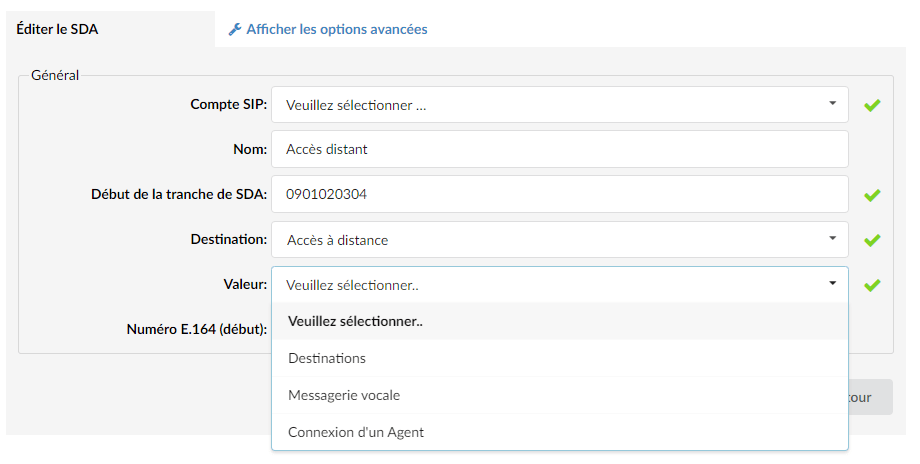
In an IVR, you can configure remote access as follows: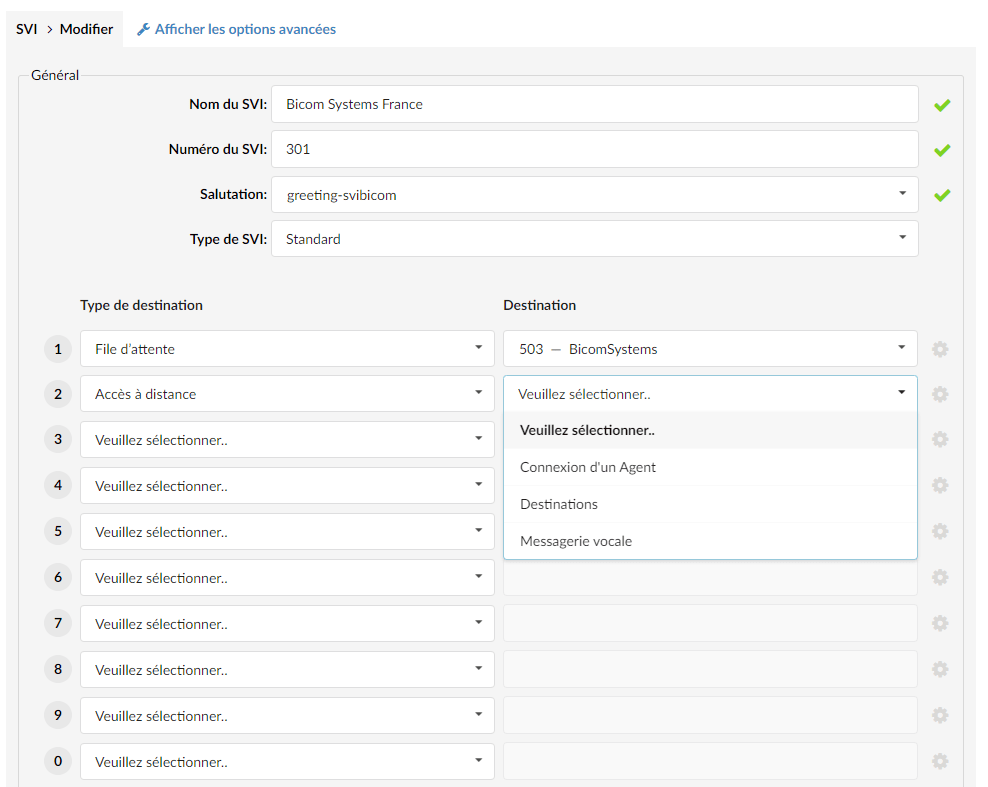
The available options are described below.
Destinations
Once the destinations option is chosen, you will be able to dial any extension on the system. If the system does not recognize your caller ID, it will ask you for your extension number, your PIN code, and then the number you wish to dial as an internal extension.
Voicemail
With this option, you can check voicemail remotely. First enter the extension for which you want to check voicemail, then the extension’s PIN code.
Connecting to an agent
When you choose to register an extension as an agent, you must first enter the agent number, then press the # key.
Second, you will enter the agent's PIN code followed by the pound sign. And third, you will enter the extension you wish to register as an agent, followed by the # key.
