TUTORIAL: Configure the email-to-fax feature
Estimated reading: 1 minute

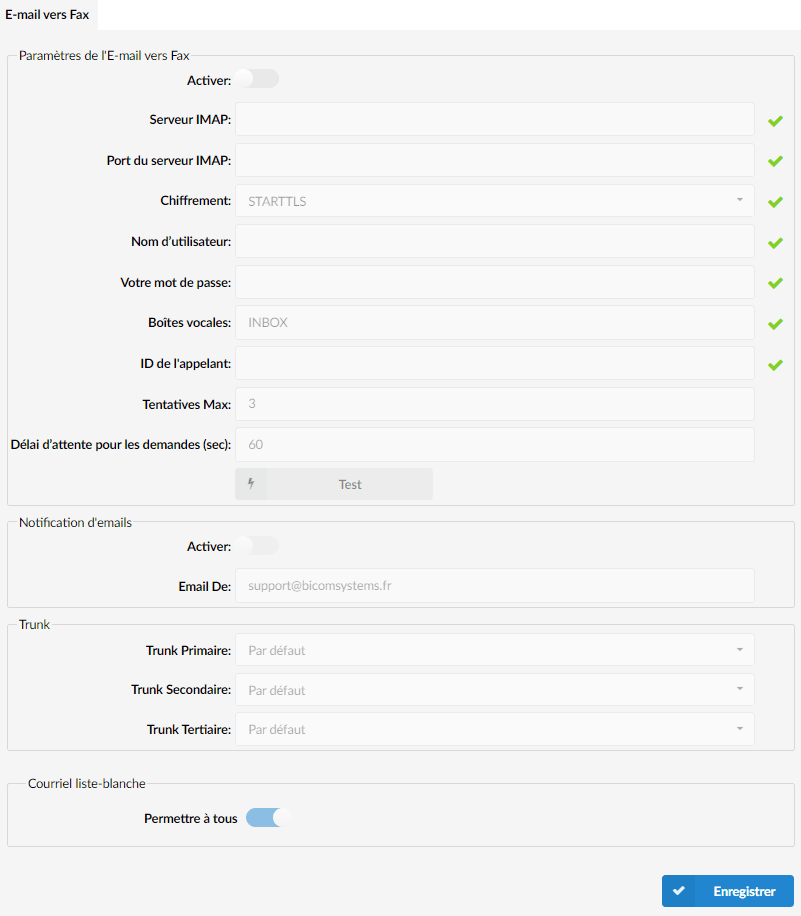
To configure the Email to Fax feature, please proceed as follows:
1. Select a specific tenant
2. Navigate to the section Fax.
3. Navigate to Email to Fax.
4. Fill in the required fields (fields marked ✔)

The user must send an email with a PDF attachment.
In the field Subject of the email sent, users must enter the fax phone number in the same format as the one used to dial the number from PBXware.
After sending this email to the email address specified in PBXware, the following procedure takes place:
- The Email-to-Fax service checks for new emails and verifies whether the conditions are met.
- The received email must contain the following elements:
- A PDF file
- A valid number entered in the field Subject.
- As soon as the PDF file is received, it is sent to the number specified in the field Subject of the received email.
NOTES:
- The Email to Fax feature must be enabled in the license.
- If the format is not PDF, this email will be ignored and deleted from the server.



