



TUTORIAL: Unsupported transport error (PJSIP_EUNSUPTRANSPORT)
Description
The error Unsupported transport (PJSIP_EUNSUPTRANSPORT) appears when a SIP client using PJSIP (notably Communicator) attempts to establish communication via a transport that is not accepted or supported by the SIP server or by the network infrastructure.
This error generally occurs when sending a SIP request (REGISTER, INVITE, etc.) and prevents the session from being established.
On Communicator, this translates to an outgoing call that is never dialed.
Probable cause
In most cases, the problem is related to the network transport used, generally UDP.
Some network equipment (routers, firewalls, NAT) may:
filter or block certain UDP sessions
quickly close inactive UDP sessions
apply security policies that disrupt SIP signaling
This can prevent the SIP server from correctly receiving requests or responses, which triggers the error PJSIP_EUNSUPTRANSPORT.
Solution
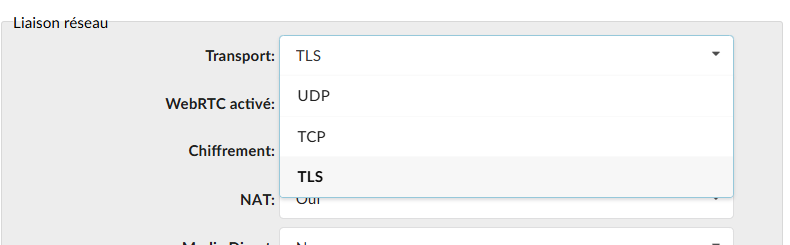
The simplest solution is to change the SIP transport used by the client.
Instead of using UDP, configure the SIP client to use:
TCP
or TLS (recommended if available)
These transports are generally better handled by network equipment and less likely to be filtered.
Recommendations
Prefer TLS when the SIP server supports it.
Check the rules firewall / NAT / SIP ALG on the router.
Test connectivity with different transports if signaling issues appear.
