TUTORIAL: Manage an exceptional closure
This guide explains how to configure an exceptional closure on a DID in PBXware, with a closure message and a manual activation/deactivation via the *404 code.
This tutorial also covers the ability to record the away message using a shortcut key.
Create a dedicated group
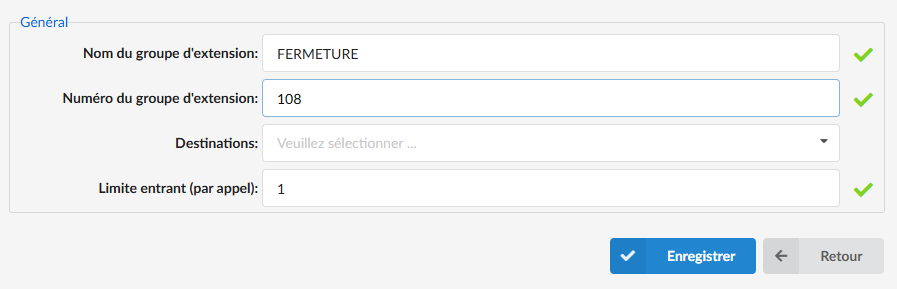
The first step is to create an extension group in order to broadcast a sound.
- Go to PBXware > Extension Groups.
- Click on Add and create a voicemail (e.g. 108).
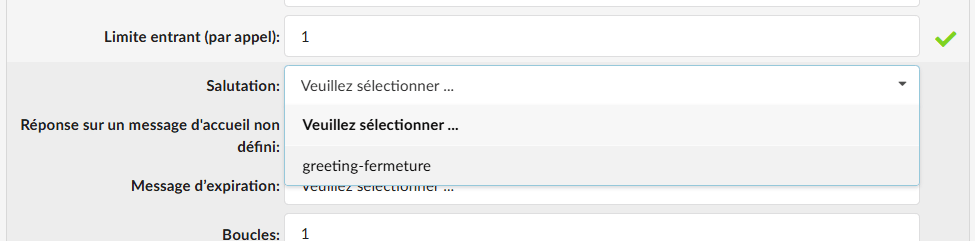
In the advanced options of the extension group, set the closing message in the field Greeting.
Import your audio file beforehand into System > Sound files. The file name must begin with “greeting-…”.
TIP
From a phone, dial *303+group number (*303108 for example) to record a message. It is possible to add this shortcut as a BLF on a phone.
Configure DID closure
In order to close and direct calls to the closing message, we will apply the closing on the DID.
1. Go to Home > DID.
2. Select the DID (e.g., 01 23 45 67 89).
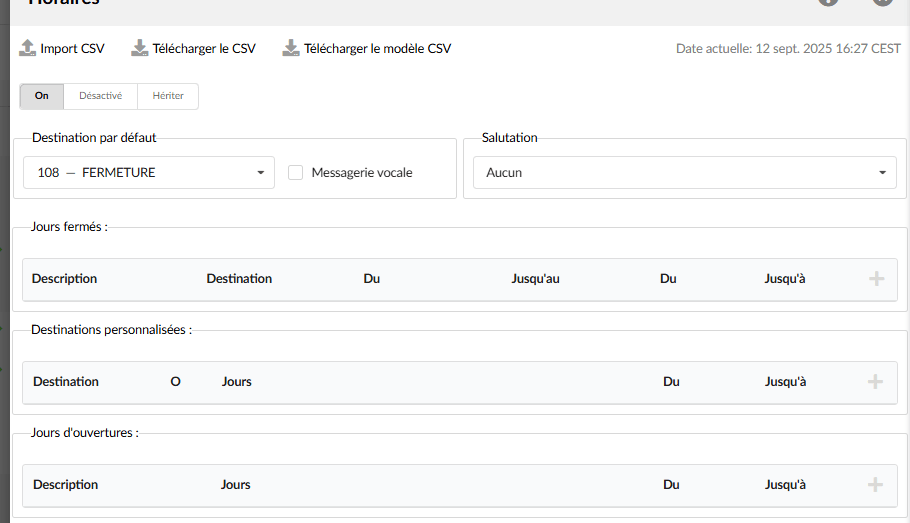
In the section Schedules:
- Set the default destination, e.g.: Group 108.
Enable or disable manual wrap-up
From a phone:
Enable/Disable wrap-up :
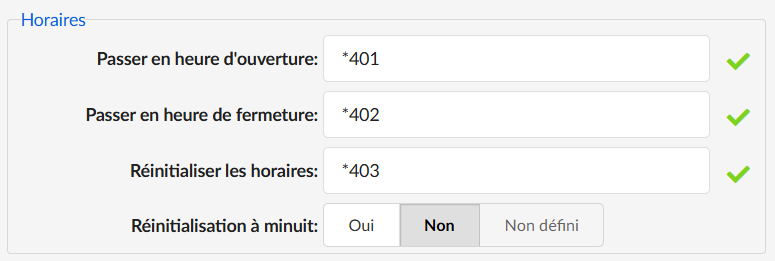
*404<Numéro_SDA>Example :*4040123456789(without spaces).
This code allows you to force it open or closed without waiting for the scheduled time. Thus, the closing message will be played as long as the schedules have not been reset with *405 followed by the number.
Furthermore, in the section Schedules of the DID, an indication shows the opening/closing as well as the day and time when it was performed.

Important settings
- In the Enhanced services of the extension that opens/closes the switchboard, enable the service System schedules.
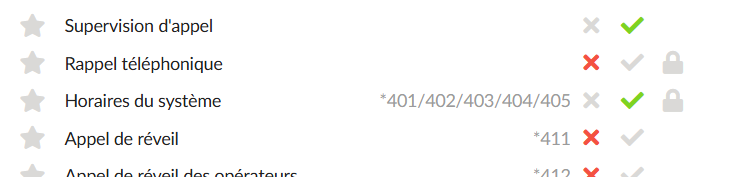
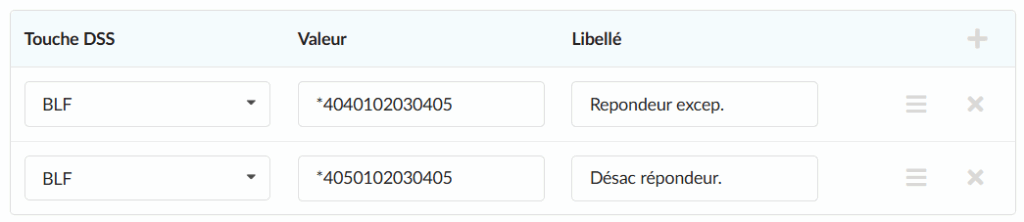
- Add a BLF to *404<DID_Number> to see the light status (open/closed) on an extension in the enhanced service Directory/BLF List.
- Add a second BLF *405<DID_Number> to reset the schedules (this removes the manual close/open and resumes the standard schedules).
- In Settings > Access codes > System schedules, disable “Reset at midnight” if you want to keep the forced state.