



TUTORIAL: Unable to make calls with Communicator
Estimated reading: 1 minute
If you experience an outgoing dialing problem from the Communicator application, while call reception works normally, it is recommended to check the following settings.
- Open Communicator and go to Tools > Preferences.
- Go to the tab Phones > My phones.
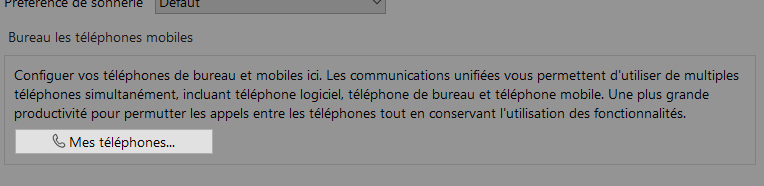
Make sure that only the option Use softphone is checked:
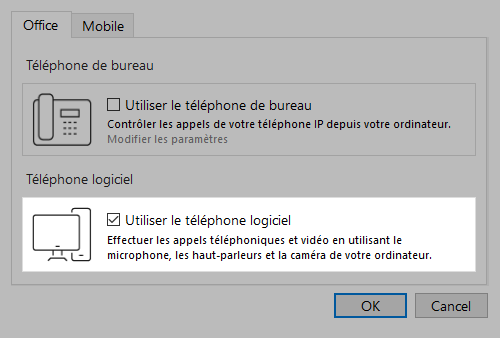
If the options Use desk phone & Use softphone are both enabled, it is necessary to ensure that only the softphone option is properly selected
