



TUTORIAL: Backups from the web interface
Estimated reading: 1 minute
NOTE:
Please note that backing up from the web interface is only available on standalone PBXware installations (not SERVERware).
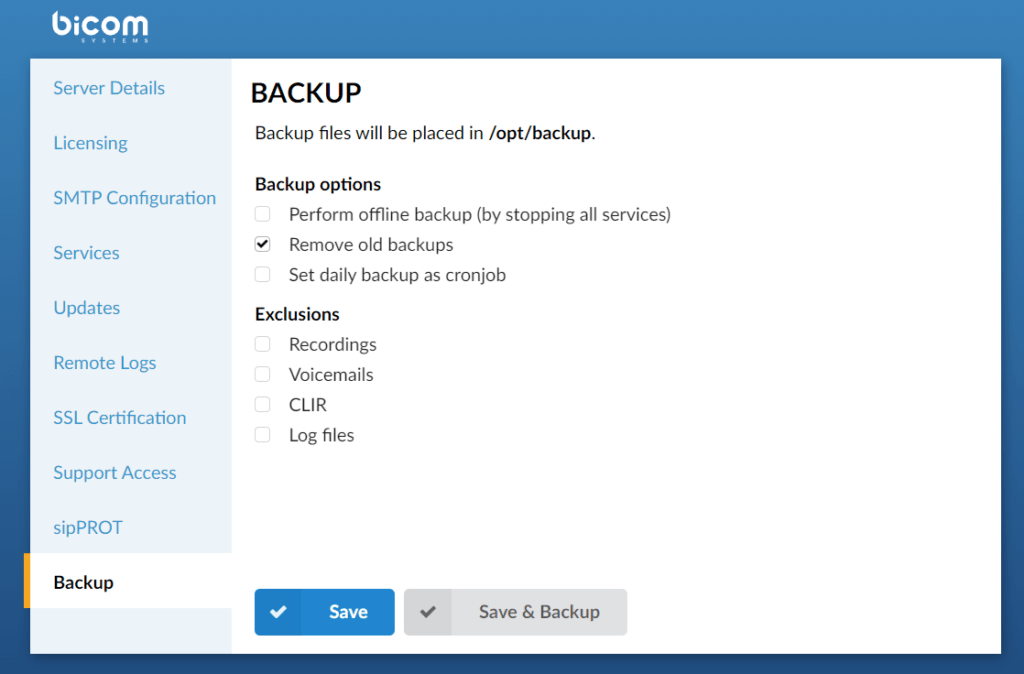
To back up the system from your browser interface:
- Log in to the setup wizard
- Set the option " Perform offline backup » if you wish to stop all services during a backup
- Set the option " Remove old backups » if you wish to delete the old backups
- Set the option " Set daily backup as cronjob » if you wish to configure the backup to be performed automatically daily.
- Click the button “ Backup » to create a backup of the current system configuration.
