If you are able to make calls but your voice is not heard, check the following points:
– The following ports must be opened/forwarded to the local IP address of the IPBX on the router/firewall of the IPBX network.
SIP traffic:
- TCP: 10001, 5060-5069
- UDP: 4000-4999, 5060-5069, 10000-20000
- pwproxy (for Communicator): 10005
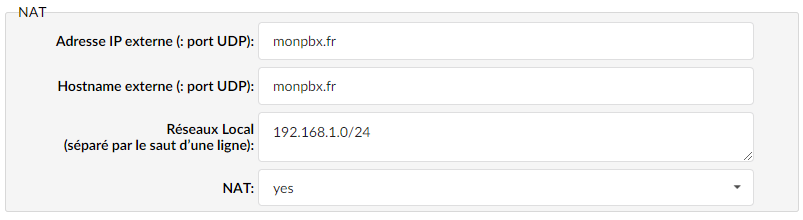
In Settings > Protocols > set the “NAT” option to “Yes”
Enter the external IP address and the local network followed by the subnet mask.
You must also set NAT to Yes in the extensions of the remote phones.
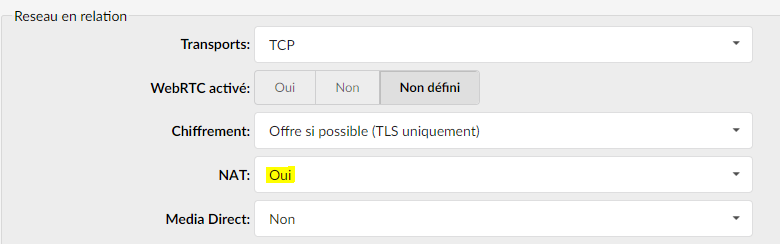
To do this, go to the relevant extension then Show advanced options > Related network > NAT: set to Yes