



TUTORIAL: Resolve the Nginx 500 error
 is a web server used by PBXware in order to be able to respond to users' HTTP requests.
 The role of the web server is to execute HTTP/S requests & store files so as to make accessible the files that allow PBXware to function correctly.
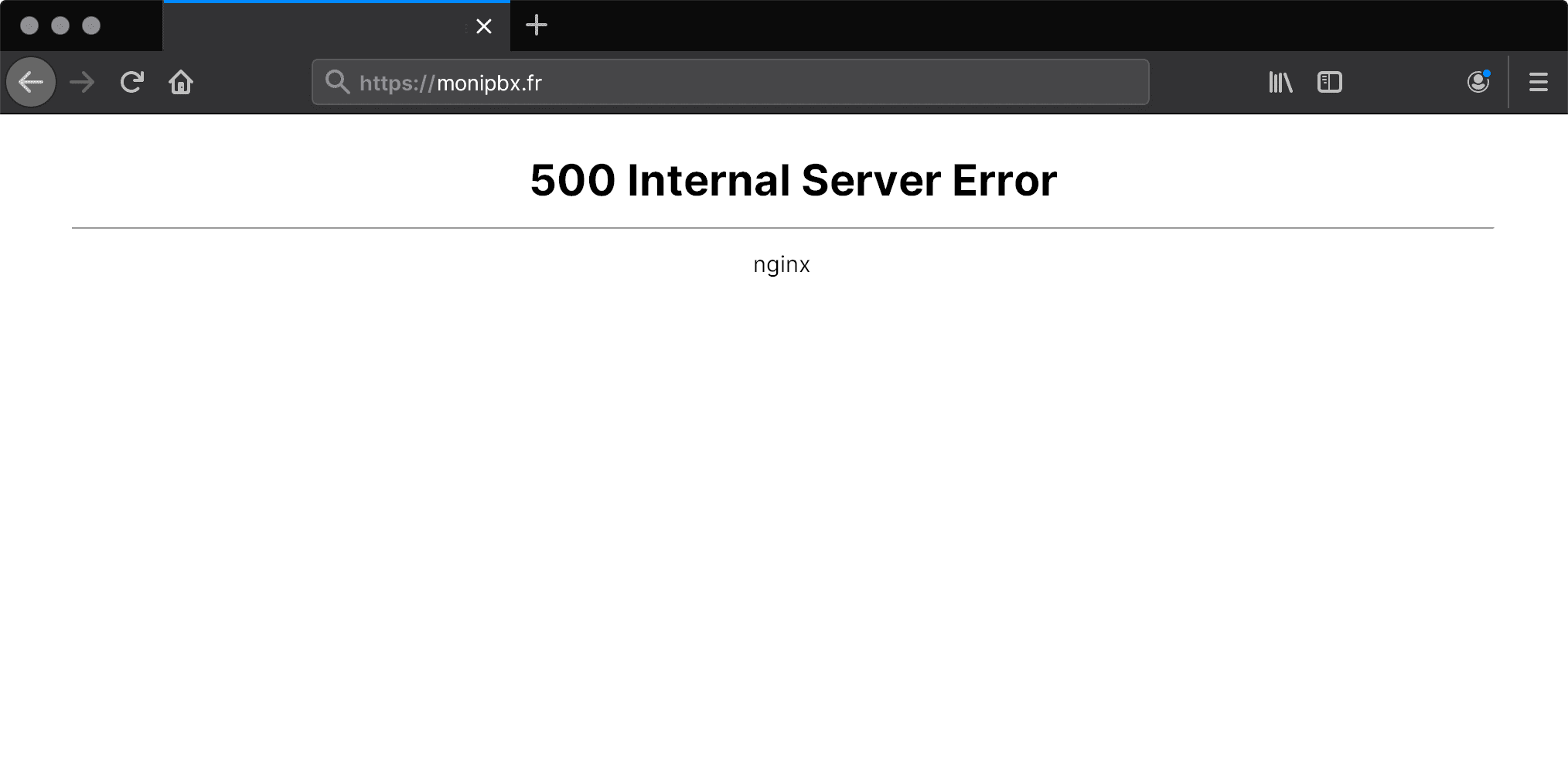
When you log in to the PBXware web interface, you may encounter an Nginx 500 error (500 Internal Server Error), as illustrated in the following screenshot:
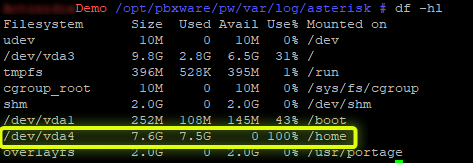
Here, the partition /dev/vda4 assigned to the folder /home is at 100% disk usage and is therefore saturated.
Generally, an accumulation of call logs or SIP registration logs of A callsunarchived steriskmay cause disk saturation.
These logs can be found in the following directory:
The command of is a Linux/Unix command that allows a user to quickly obtain information about disk usage.
The argument -s (summarize) allows summarizing.
The argument -c (total) allows adding the "total" line at the bottom of the command output to see the full disk space used.
The argument -h (human readable) allows file sizes to be displayed in an understandable format (in gigabytes, for example).
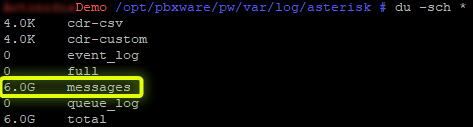
Here, the log file “messages” is the largest file (6.0 G). These log files are used to list all failed SIP connection attempts on your PBXware instance. In case you have many SIP connection attempts, they will then be listed in these log files.
Note that these files may take the form of compressed archives; you can recognize them by the extension .gz (example: messages.1.gz)
