



Extensions
Within the PBXware telephony system, an extension represents an essential component that facilitates communication within the company.
Concretely, this is an internal phone number, often associated with a user or a device, that plays a central role in establishing telephone connections. These extensions allow members of the organization to communicate efficiently with each other, as well as with external contacts, by providing them with advanced telephone features such as inbound and outbound calls, voicemail, and much more.
This concept of the extension is therefore fundamental in the world of IP telephony within PBXware, ensuring smooth connectivity and efficient management of communications.
To create your first extension, click the tab Home >Extensions.
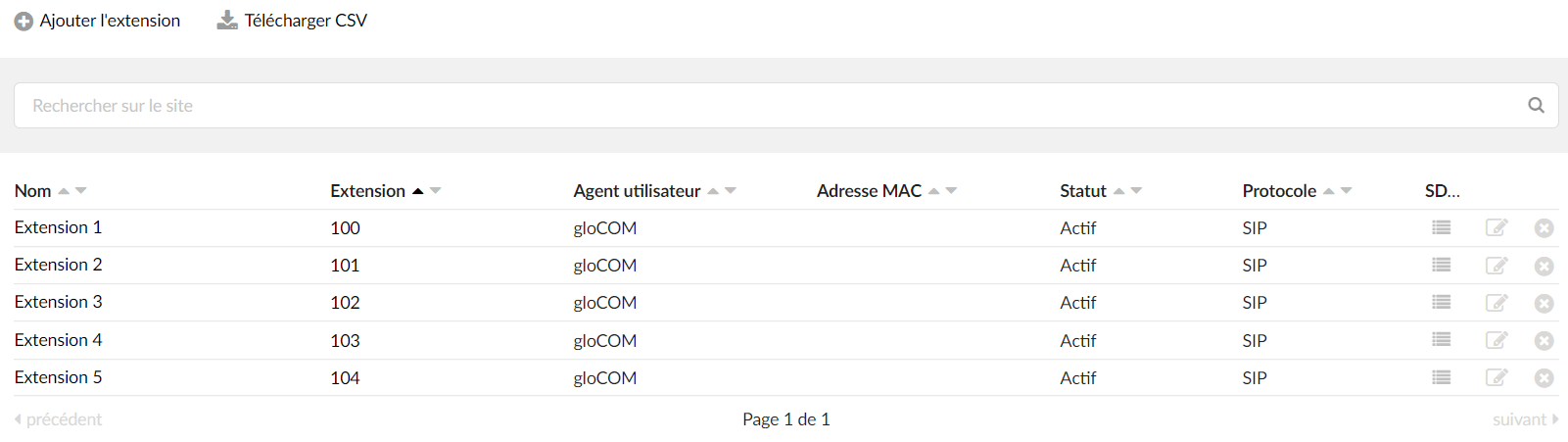
Then click Add an extension.
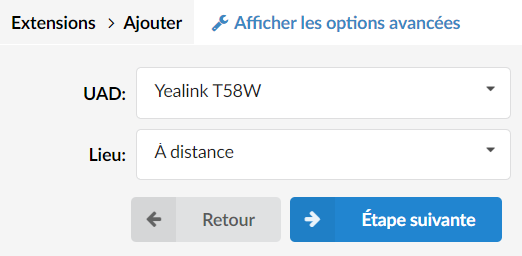
Then choose the UAD you previously activated. The field Location allows you to define whether the phone is on the same network as PBXware or on a remote network.
Click on Next step.
Your extension is thus created with predefined settings:
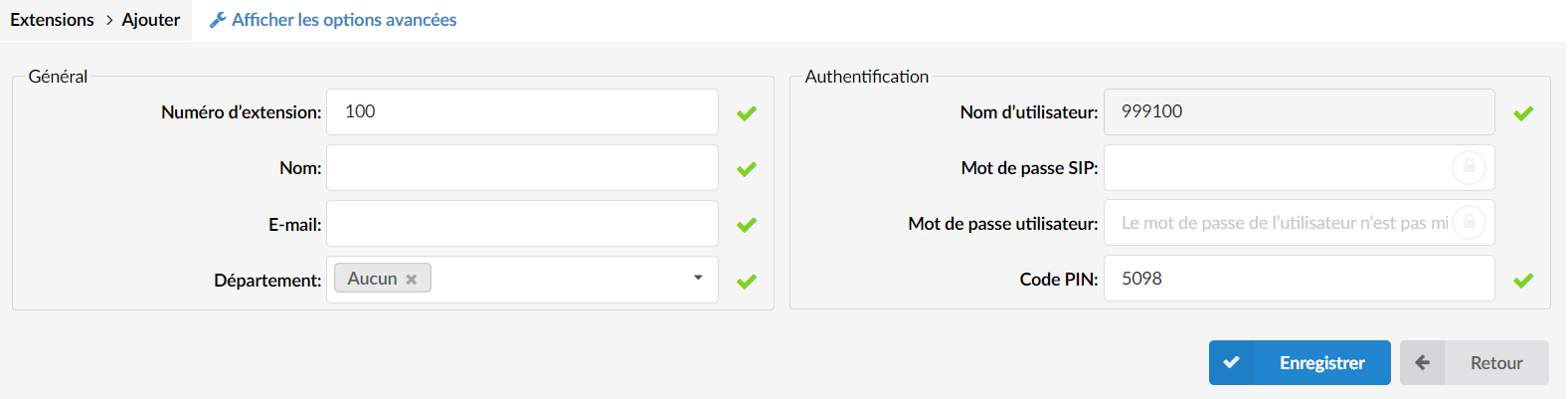
You will be able to change the following settings at your convenience:
- Extension number : internal number of the extension
- Name
- Email: used to connect to the softphone application
- Department
- SIP password (automatically generated): provisioning password for the phones
- User password (automatically generated): login password for the softphone application
- PIN code : code used to check the extension's voicemail
TIP:
The provisioning of a phone refers to the process of initial configuration of a phone or communication device so that it can connect to a network and function correctly. This generally involves configuring network settings, installing necessary software or applications, and customizing the device according to the user's needs or the company's requirements.
Click on Save in order to create your new extension.
You will find on this link all the advanced options extensions.

