



1. Global view
Administration interface
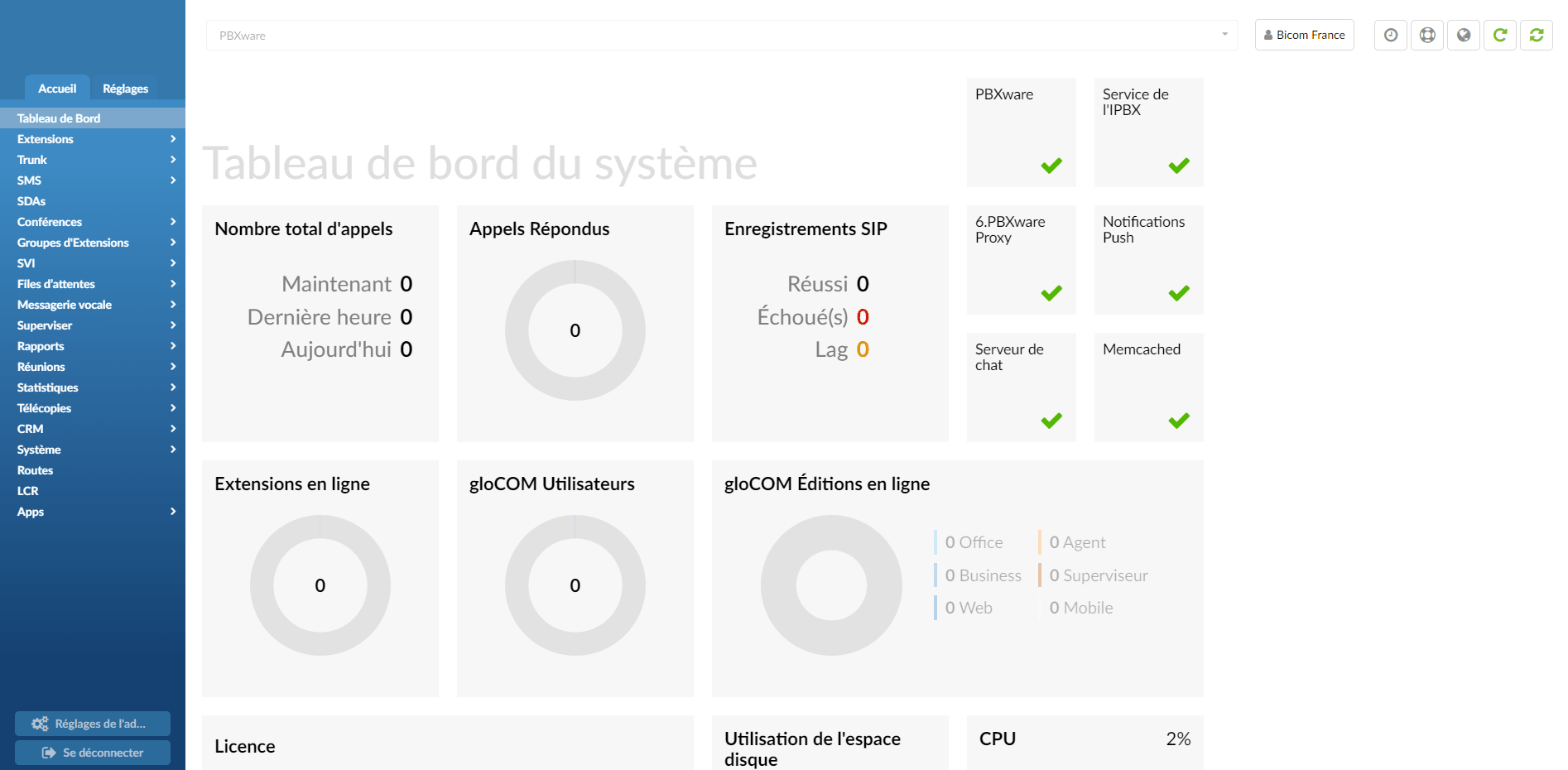
The system dashboard is a visual display of the most important PBXware indicators:
- Calls
- SIP registrations
- Services
- License
- Hardware resource usage
- PBXware menu
PBXware menu
The PBXware menu is located on the left side panel and presents two main tabs:
- Home
- Settings
At the bottom of the left navigation menu are the logout button and the administration settings, which allow you to modify various system settings in PBXware.
Actions menu
The action menu located at the top right allows you to:
- Change the password of the account you are logged in with
- Set up 2-step verification
- Change language
- Reload PBXware
- Restart PBXware
Role-based administration
System administration can be delegated to different users in order to perform role-based administration. An unlimited number of users and groups can be created by PBXware administrators. Each user will then only have access to the PBXware menu sections according to the group membership permissions.
This is commonly used to allow managers or supervisors to access sections of PBXware for which they have adequate knowledge and experience.
Standard and advanced options
PBXware was designed for simplicity but also to offer extensive configuration options. To achieve both of these goals, the administration provides modes: standard and advanced in all sections.
Standard options
Standard mode is designed to allow an easy administration method, since the level of configuration knowledge required is based on information fields common to everyone (name, email address, etc.). This is possible because PBXware uses a powerful template system that automatically preconfigures all the advanced options, leaving only the common information values to be entered.
Advanced options
Advanced mode, on the other hand, requires a much better knowledge of the system in order to be able to fine-tune the system parameters for various applications and uses. This documentation provides detailed information about all the advanced options.
Thus, (future) administrators will be able, through continuous practice of the advanced options, to administer PBXware efficiently and easily.
For simplicity, the options available in the standard options section are not repeated in the advanced options.
