



Peoplefone
ADD A SIP TRUNK
To create a SIP trunk, please see Register a SIP trunk > Create a trunk
In order to register a Peoplefone trunk on PBXware, several parameters must be configured.
Go to your Peoplefone extranet then in the section VOIP Telephony > Lines/Users. There you will find the login as well as the password of your SIP trunk.
Select the SIP trunk you want to register under PBXware and click the button SIP settings.
Go to the section Home > Trunks located on the left side panel of PBXware (position yourself in the Master-Tenant in the case of a Multi-Tenant edition) and click the button Add a Trunk.
Choose Generic SIP as provider and click on Next step.
Fill in the following fields:
- Name or number: Enter a name for your trunk
- User type:peer
- Peer host: sips.peoplefone.fr
- Peer username: your trunk login
- Peer secret: trunk password
- Sign up/Register: with username
In order to check whether the SIP trunk is properly registered, go to Admin settings > Asterisk CLI, then type the following command:
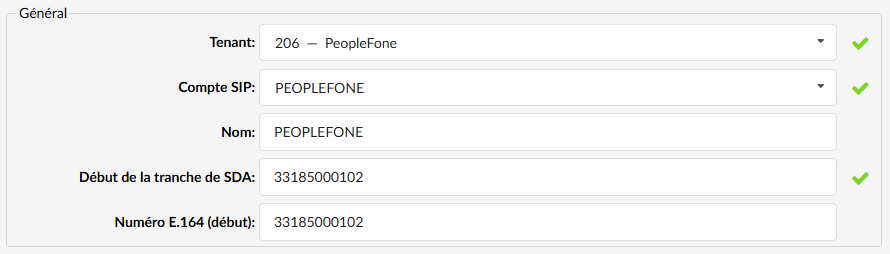
pjsip show registrations For calls to be routed correctly to your DIDs, they must be declared in E164 format. For example: 33 1 85 00 01 02.
Finally, fill in the following additional configuration so that the trunk can automatically re-register in case of an outage (expand the additional configuration field at the bottom of the page by clicking the button Advanced) :
[registration] expiration=120 auth_rejection_permanent=no max_retries=1000 retry_interval=60 fatal_retry_interval=60 forbidden_retry_interval=120 