FR EN

17. CRM

Estimated reading: 6 minutes

Customer Relationship Management (CRM) is a business strategy that allows companies to manage their own past, present and anticipated interactions. PBXware allows users to integrate, test and select some of the log options for their CRM. PBXware is integrated with several CRM solutions. The CRMs supported are the following: Bullhorn, Hubspot, Microsoft Dynamics 2015, Pipedrive, Proprietary CRM, Proprietary CRM I, Salesforce, SugarCRM, SuiteCRM, Vtiger CRM, Zendesk and Zoho CRM.

Supported CRM

Routing

CRM routing

CRM routing allows routing to a specific queue or an IVR, and it also makes it possible to play audio files based on the information retrieved from the CRM. When the call arrives in the AGI, PBXware first contacts the CRM and performs a specific action based on the returned value.

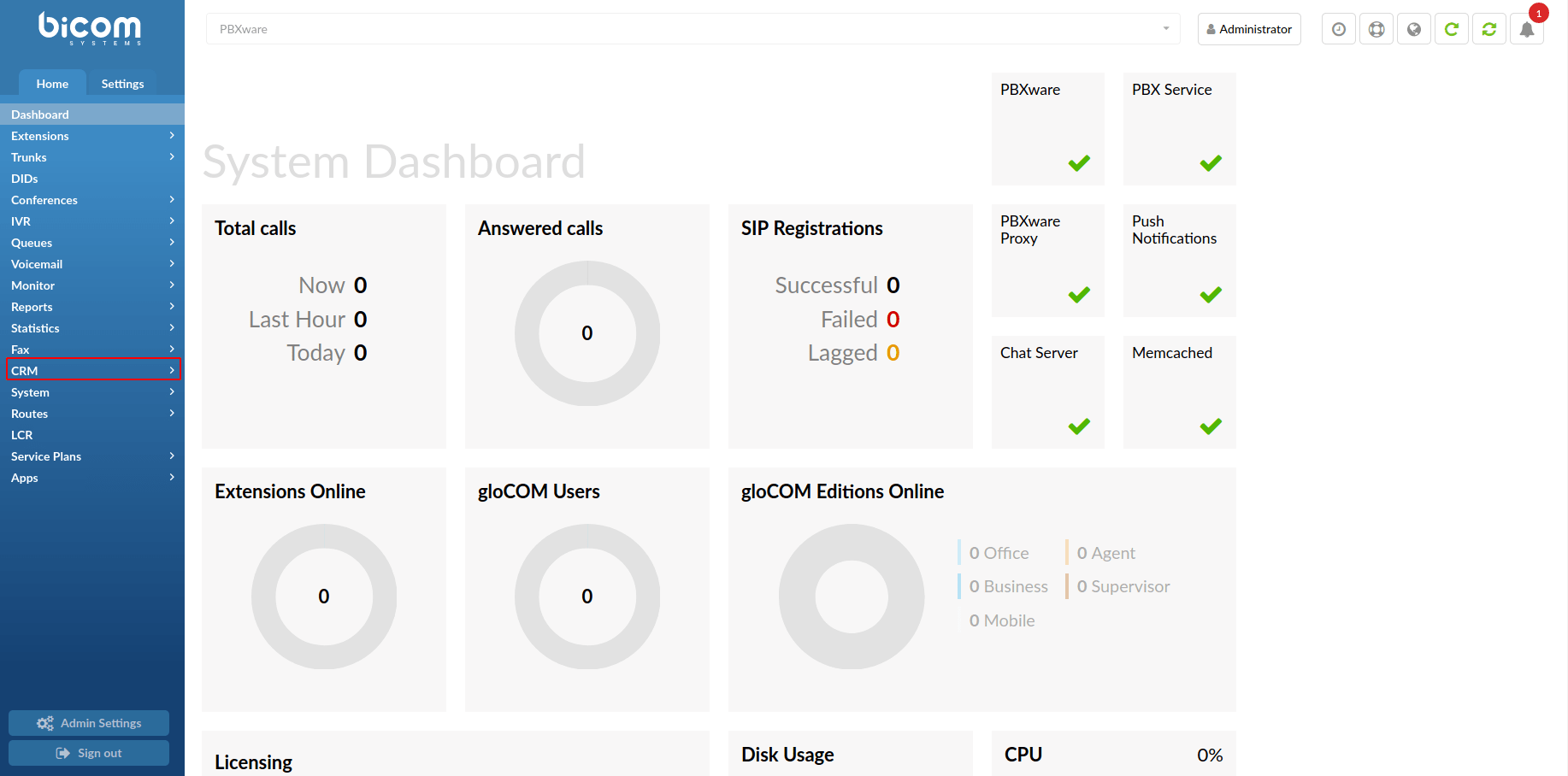
To set up the configuration in PBXware, navigate to the CRM section with the ‘Integration’ and ‘Routing’ submenus. In the “Routing” section, the user can define rules based on which calls will be routed. For DIDs and IVRs, new destinations can be assigned to the rule that will be evaluated for a particular DID or IVR.

  • Search
    Search for specific data by entering details in the search bar.
  • Rule name
    Displays the name of a routing rule.
  • CRM field name
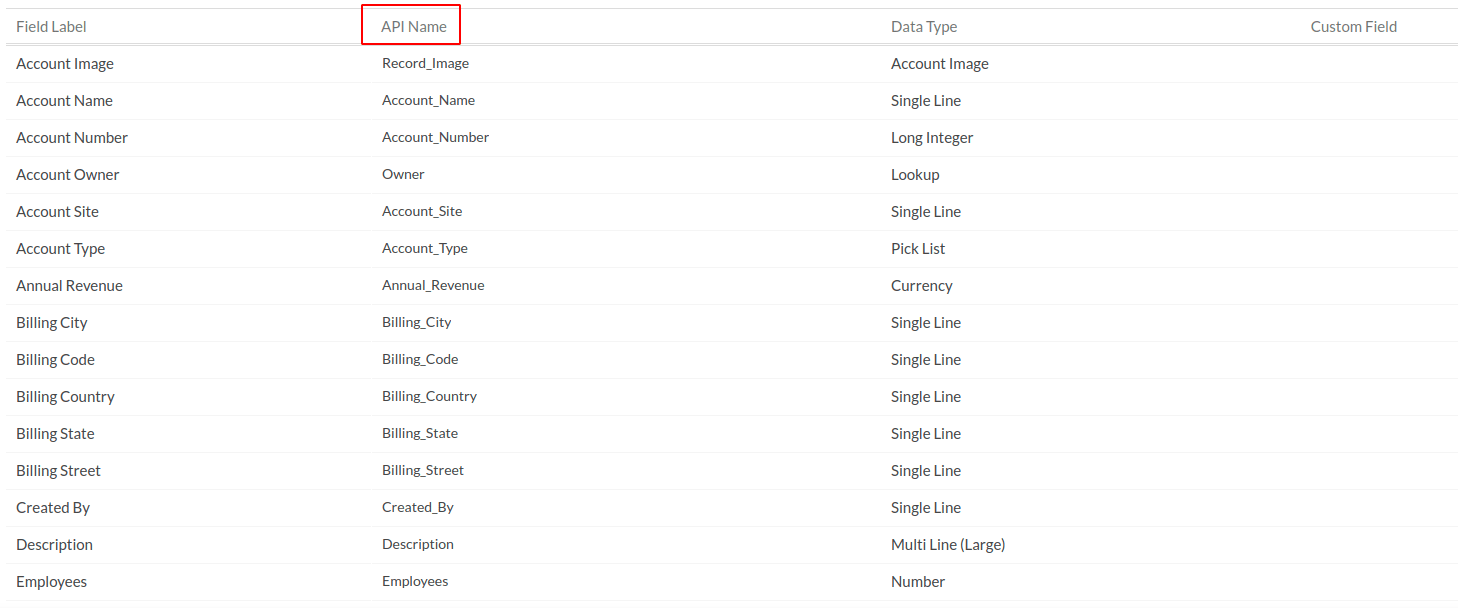
    Displays the API name of a CRM field.
  • Location
    Displays the location it points to.
  • Click this button to edit the routing rule.
  • Click this button to delete the routing.
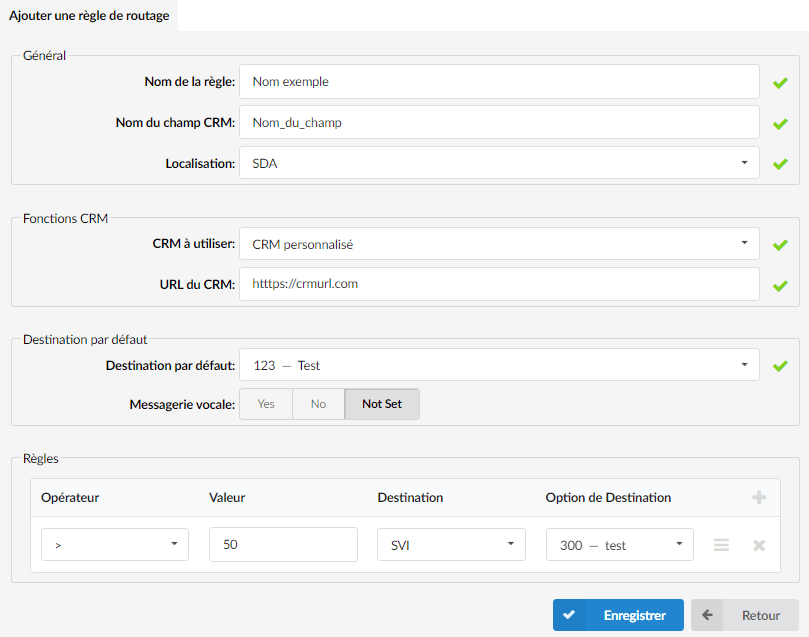
Add/Edit a rule

General
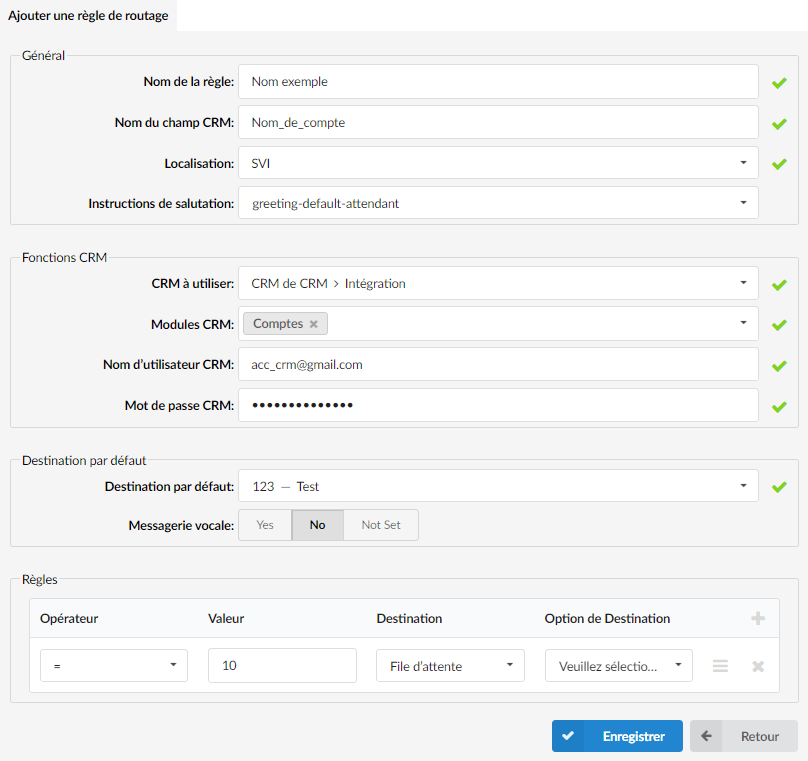
  • Rule name:

    Name of the new rule.

  • CRM field name:
    CRM field defining the value to retrieve
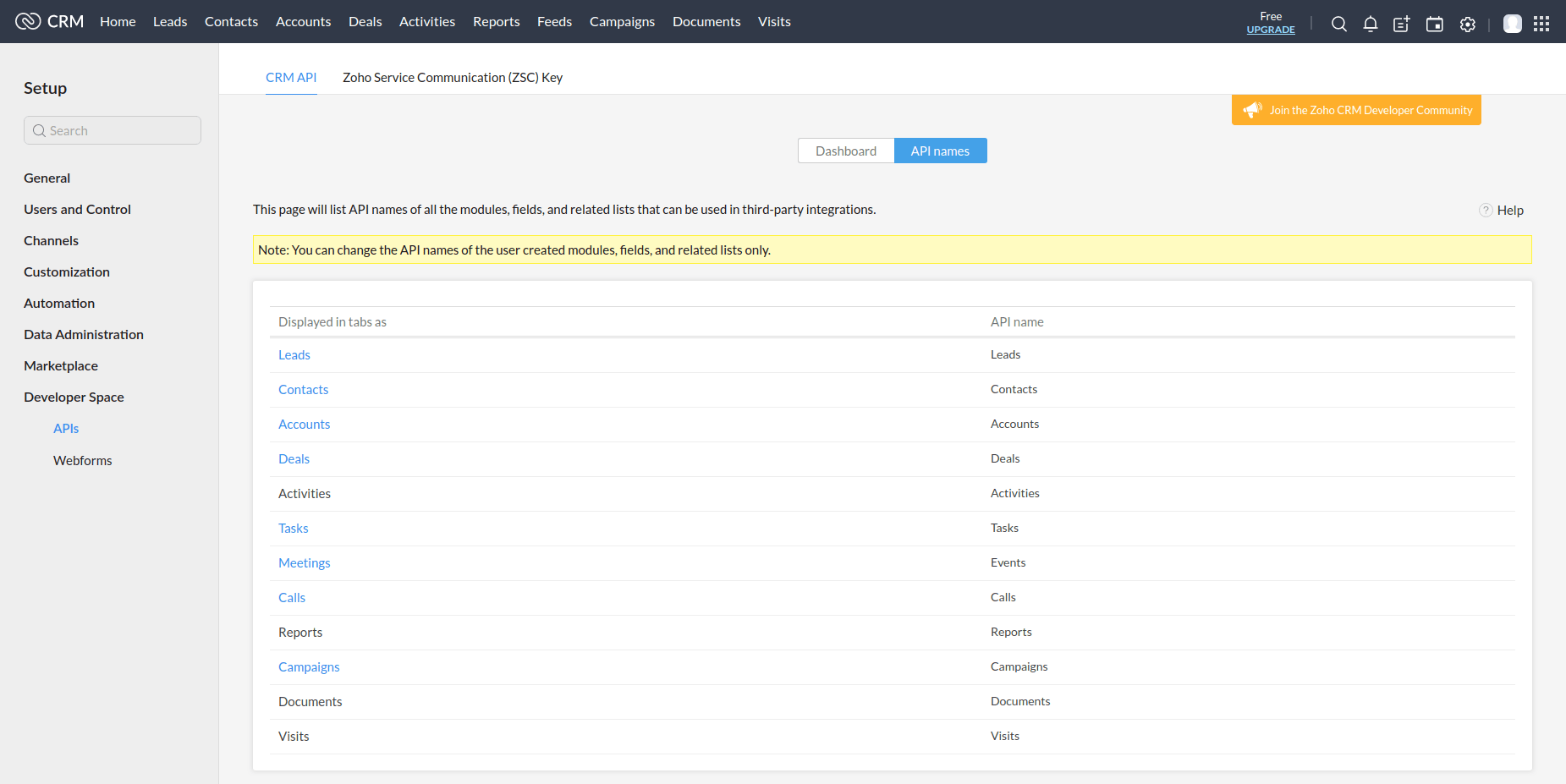
For example, this is a link to the Zoho CRM account:

https://crm.zoho.com/crm/orgXXXXXXXX/settings/api/modules

Once users are logged in to their CRM account, they can navigate to “Settings” -> “API” and find the applicable API name. Please refer to the screenshots.

  • Location:
    Define where to use this rule.
  • Welcome instructions:
    If “IVR” is chosen as the “location”, a new option is displayed. The greeting instructions must be set if a user wants to obtain DTMF from a caller and send them to the CRM.

CRM functions

  • CRM to use:

    Select one of the two options to use:

    1. CRM from CRM > Integration: PBXware will contact CRM and retrieve the value.
    2. Custom CRM: The client must set up the communication with the CRM itself.

If the “CRM to use” option is set to CRM from CRM > Integration, the following options are available:

  • CRM modules:
    Define from which CRM module PBXware should retrieve the information.
  • CRM username:
    Enter a valid CRM username.
  • CRM password:
    Enter the CRM password in the same way as for gloCOM. Please follow the instructions for a specific CRM.

If the “CRM to use” option is set to Custom CRM, the following option is available:

  • CRM URL:
    Provide a URL that PBXware will contact.

Default destination

  • Default destination
    Select the destination to which the call will be redirected if the return value does not match any rule.
  • Voicemail
    Indicate whether the call will be redirected to the voicemail of the default destination.

Rules

  • Operator:
    Select the arithmetic operator.
  • Value:
    Enter a value to compare against.
  • Destination:
    Select a destination.
  • Destination option:
    Enter the queue/IVR number or the name of the recording.

How does routing work?

After retrieving the value from the CRM, PBXware goes through the rules line by line and evaluates the comparison between the returned value and a value from the rule line using the arithmetic operator defined in the line. A caller's destination is the destination of the first line that matches the criteria.

For example, a user needs to filter incoming calls on the DID and send calls to destinations based on certain fields of their CRM. So, in the CRM, there is a field name “status” with the customer's status and the field value which can be “GOLD”, “SILVER”, “BRONZE”, etc. A user can set their CRM routing rule to check if the customer is marked as “GOLD”. If so, the user can send the call to the appropriate location (IVR, queue, etc.).

Custom CRM

In the case of a custom CRM (CRM implemented by a customer), the URL that PBXware will try to reach is as follows:

{URL}?field_name={CRM_FIELD_NAME}&dtmf={DTMF}

  • URL = CRM URL defined in the routing rule,
  • CRM_FIELD_NAME = CRM field name defined in the routing rule,
  • DTMF = DTMF entered by a caller (available only for IVRs when the “Greeting instructions” option is selected).

Based on the configuration of the example above, a URL will be:

https://crmurl.com?field_name=Field_Name

Share

17. CRM

Or copy the link below

CONTENT