



26. Templates
Installed templates
The Installed Templates section can be used to install and/or remove SERVERware VPS templates. There are 2 types of templates: service templates and system templates.
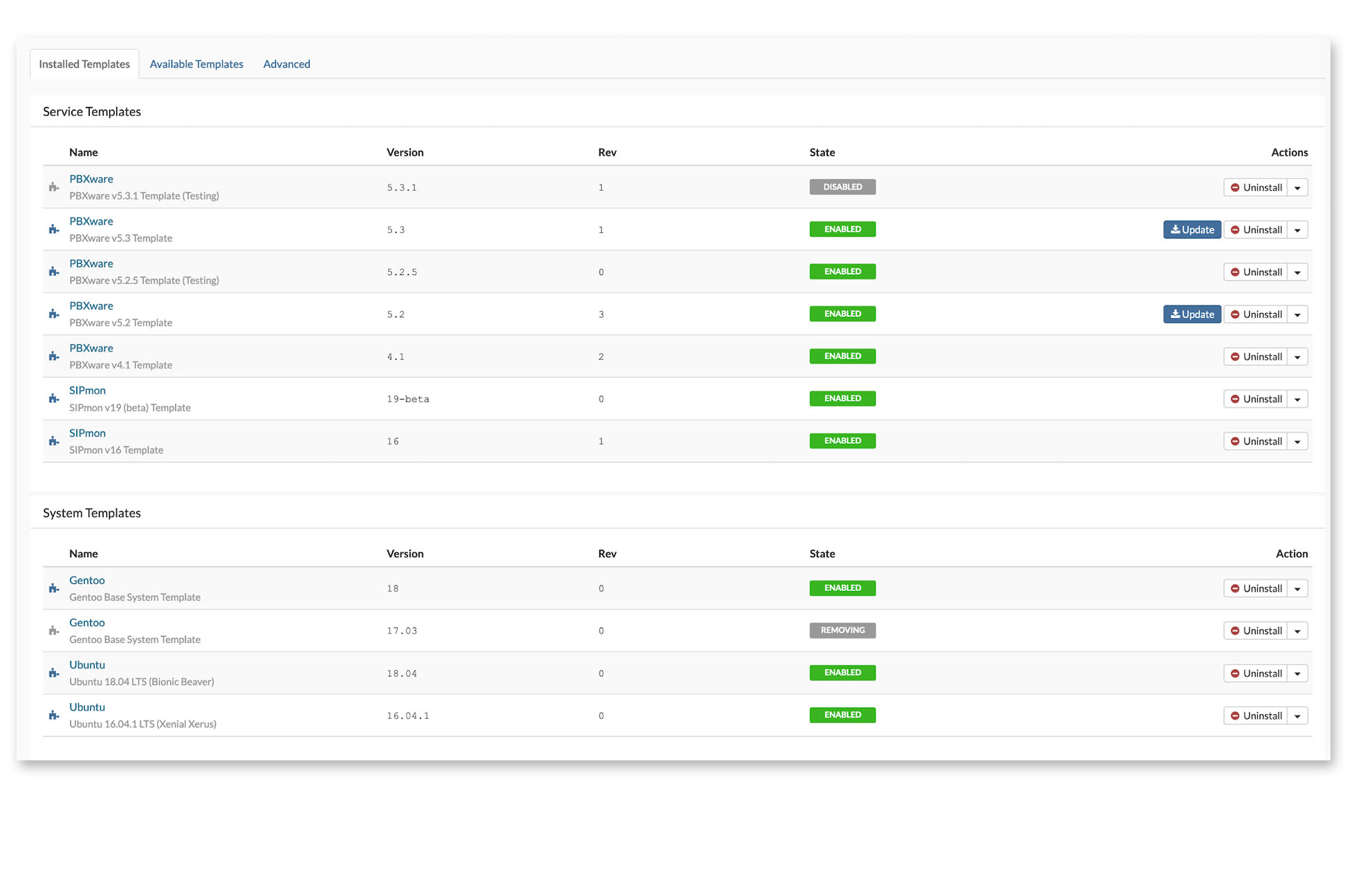
Select Available Templates to display the list of templates available for installation (install only the templates that will be used).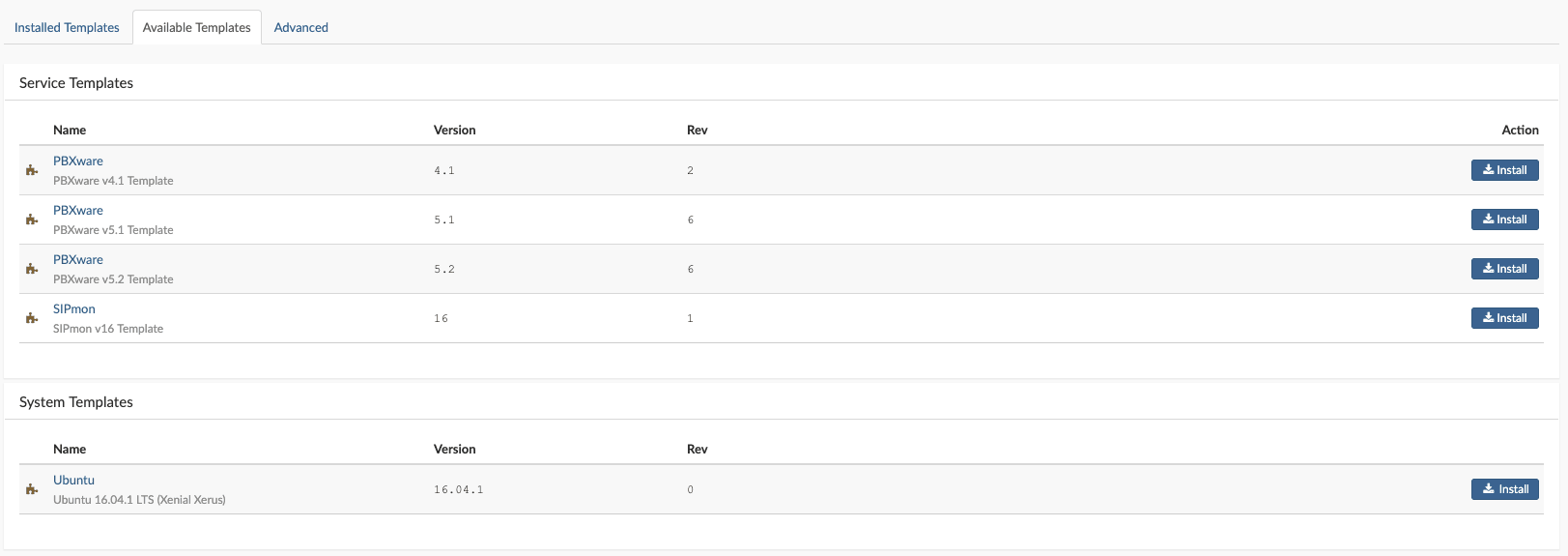
Installing new templates
To install a new template from the catalog, select the tab Available templates, click Install. The template download begins right after the confirmation window. During the template download, if multiple templates are selected for download, SERVERware will start downloading the first one and put the others in a queue.

OCI image template
SERVERware supports third-party OCI images to be used as a template in the SERVERware infrastructure. Users can download OCI images from the Docker Hub or the local/private repository as long as the OCI images are created in accordance with the Hub’s public rules. An OCI runtime environment must correctly accept and run (create/start/terminate/delete) a compliant OCI image.
An OCI image contains metadata about the content and dependencies of the image, including the content-addressable identity of one or more filesystem layer changeset archives that will be unpacked to make up the final runnable filesystem.
OCI image download
To upload the OCI image into SERVERware, go to the main menu on the right and select Templates/OCI Image. In the newly opened window, press the blue button in the top right corner Install a new template.
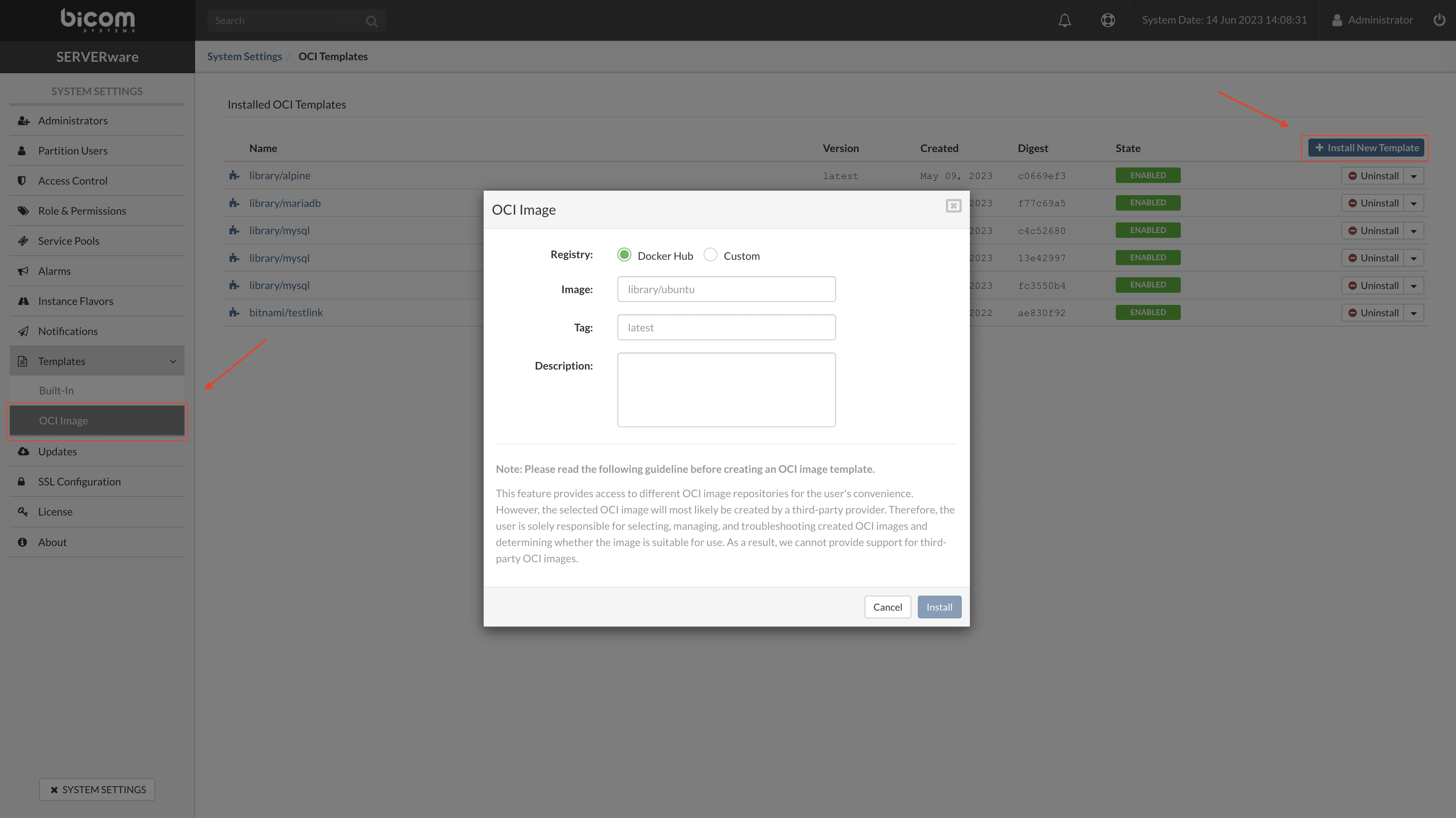
In the pop-up window, fill in all the required fields and press Install.
- Library : select one of the two options – Docker Center for Docker hub images from the public repository or Custom for the local/private repository.
- Image : enter the path to the OCI image as required by placeholder, for example library/mysql.
- Tag : enter the required OCI image version or enter latest for the latest available image.
- Description : enter the description/comment of the OCI image.
SERVERware will download the OCI image and install it on the system so that it can be used to create VPSs in the VPS menu.
