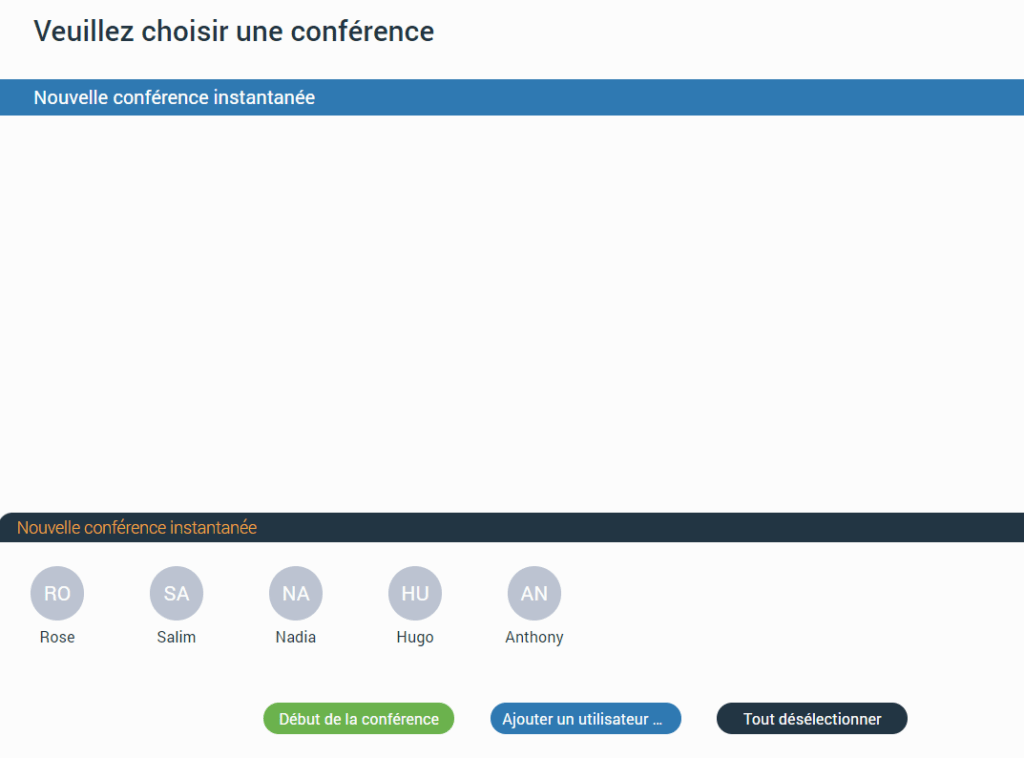
Conference
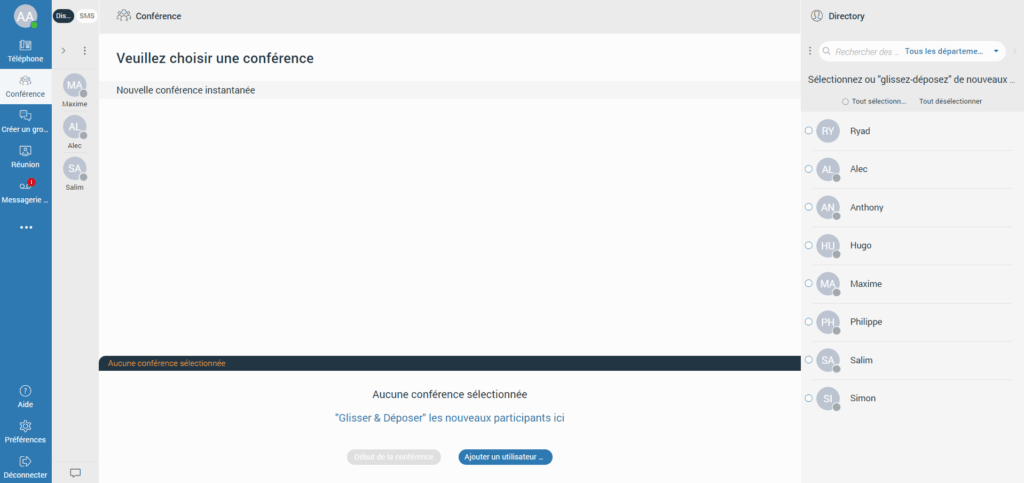
The conference is part of a Communicator Web where you can make conference calls with more than one participant (external or internal).
There are two types of conference calls:
– Cinstant conference (dynamic conference) : You can create a conference call by adding one or more people to an ongoing call or via the conference section. With this option, you can add contacts or any number available in your contact list. If you missed the conference call, you can still join it from the recent calls, provided that a conference call still exists, by clicking the Dial button.
– Static conference : You can join predefined conference rooms and add other participants. There is a conference number next to the conference name in the conference list for the static conference call.
Make a conference call
By clicking on the Conference icon in the navigation bar, the conference section will open. To make a conference call, you must select the participants from the contact list.
You can choose the participants by clicking on them or by dragging and dropping them into the participants list.
Furthermore, you can select them using the Select all radio button above the contact list or by entering the external number.
You can filter contacts using the search field or by filtering them by department.
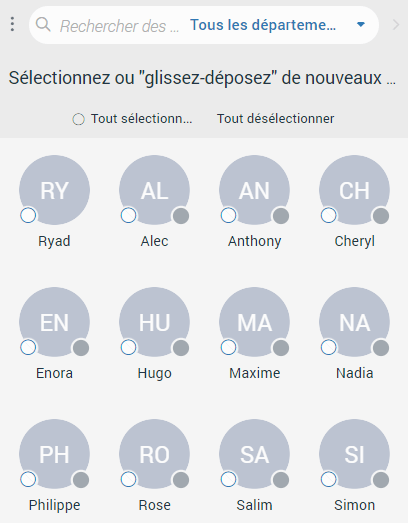
Then, select the conference from the list of conferences located next to the contact list. Below the conference list is the list of participants. It allows you to see all the chosen participants and remove them from the list. When you hover over them, the blue cross will appear. Click on it to remove the desired participant from the list of participants. Press the Deselect all button to remove all participants from the list.
to start the conference, click the Start conference button. This button will be disabled if no conference is selected. In addition, a conference call can be started without preselected participants, who can be added later.