Preferences
In the preferences, you can modify your Audio, Alerts, Modules, Appearance, and Meeting settings.
Any changes in these tabs will be automatically saved
Audio
In the Audio tab, you can set your audio devices such as the microphone, speakers, and ringtone.
Alerts
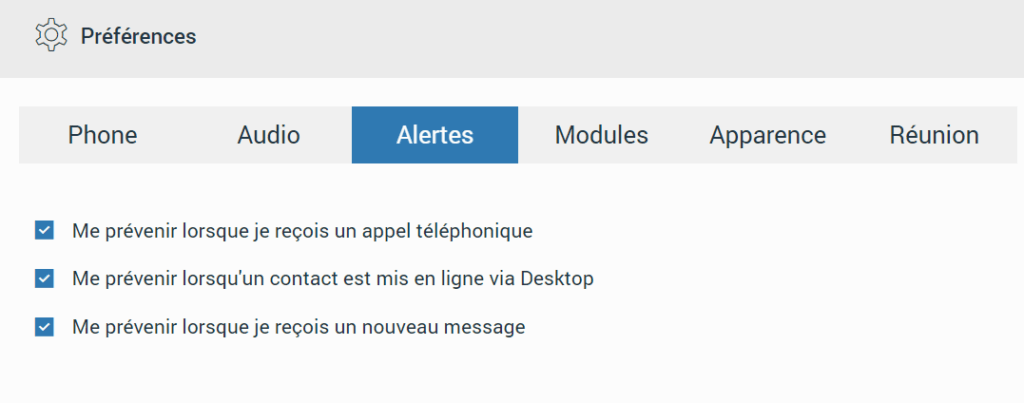
In the Alerts tab, you can check the type of notifications you want to receive.
Modules
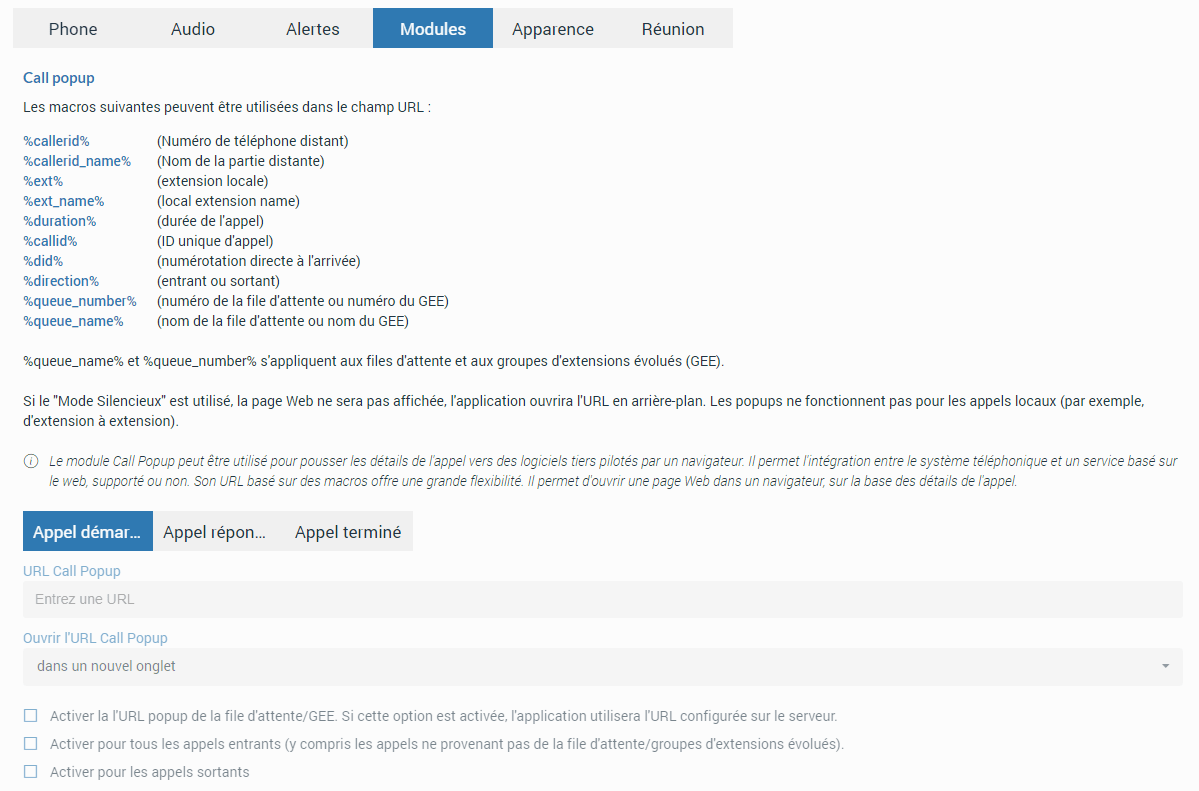
The Call Popup module can be used to pass call details to browser-driven third-party software.
It is possible to create a URL-based call pop-up, which can be set per queue and enhanced ring group. This can only be done if the option "Enable Queue/ERG URL pop-up. If enabled, the application will use the URL configured on the server." is checked (Preferences > Modules > Call popup).
You can configure the call pop-up to open when a call is started, answered or ended. You can specify whether you want to enable each setting for incoming and/or outgoing calls or enable silent mode. In silent mode, a URL request will be sent silently to the server, which means it will not open a web browser or a new tab.
The Call Popup is based on macros. In the URL field, you can use the following macros: caller ID, caller ID name, extension, duration, called, did, direction, queue number, and queue name (for example, in the URL field of the started call, you can enter your crm.com/calls?id=callerid% and check the incoming calls below. From now on, each time you receive a call from a customer, Call Popup will open a web browser and write the customer's phone number.).
All this information can be sent silently to your CRM server to create reports such as the number of incoming calls received, the number of outgoing calls made, the average call duration, etc.
Appearance
In the Appearance tab, you can change your appearance in Communicator Web. You can choose between Light (default), Navy Blue, and Dark modes. You can also change the language used in the application. This way, you can use the application in your native language.
Meeting
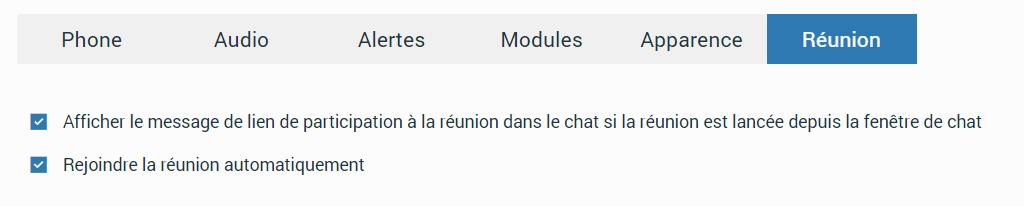
In the Meeting tab, you can enable/disable the meeting options by checking/unchecking them.