



Music on hold
Music on hold
Music on hold is music or advertising played to callers while they wait, for example, for an agent or when they are placed on hold.

Content
The Music on Hold content window manages all the sound files of PBXware's music on hold. They are listed here with the following details.
Name:
Name of the Music on Hold sound file.
Class:
The Music on Hold class that the sound file belongs to.
Status:
Status of the Music on hold sound file. The possible choices are "Enabled" and "Disabled".
 Edits the Music On Hold file configuration.
 Deletes a file from the system Music on Hold.
Search

Search:
The possible choices are "Enabled" and "Disabled".
(For example, enter a search phrase here and press the “Enter” key to filter the records).
Classes
Music on Hold classes are a bit like folders on a computer filled with music files. When a music class is assigned to the queue, for example, all the sound files belonging to that class are played in a random order. Music classes are listed here with the following details

Name:
Name of the Music on Hold class.
Status:
System status of the Music on hold class. When disabled, the sound files belonging to the class will not be played anywhere on the system.
- Edits the Music On Hold file configuration.
- Deletes a file from the system Music on Hold.
Search
Search:
Enter a search phrase here to make it easier to find a Music on Hold class. The search can be done by class name.
Add/edit Music on Hold classes.
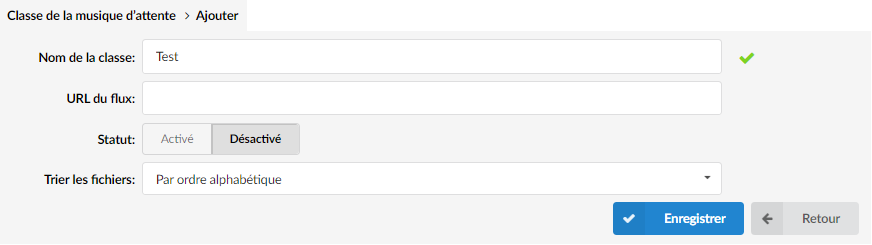
Class name:
Enter the name of the Music on Hold class.Feed URL:
In the latest version of PBXware, we have implemented support to facilitate the streaming of Music on Hold. All you have to do is create a new Music on Hold class and enter the link to your stream in the stream URL field.Status:
Set the status of the class.Sort files:
Should the files assigned to this class be played in alphabetical order or randomly.
