Directory
The central phone book is a centralized list of contacts managed by the PBXware administrator. It is shared among all Communicator users and synchronized with the rest of your contacts (Google, CRM, Outlook, etc.).
To access the contacts in your central phone directory, go to the tab Contacts and select Company directory in the drop-down list.
You can use the field Search for contacts to search for a contact by name. Double-click a contact to start a phone call.
Right-click on a contact to open a context menu with additional options.
In addition to the contacts managed by the administrator, each user can manage their own personal contact list. This personal list is private and visible only to you.
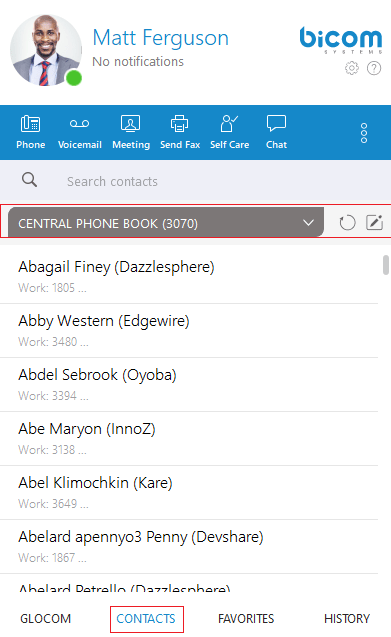
Click the edit button in the Contacts opens the window Supervisor online and switch to the tab Company directory.
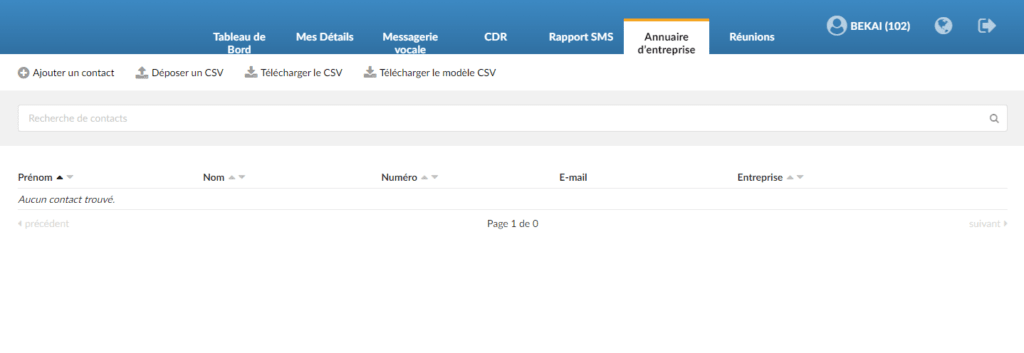
Here, you can see all the contacts in your personal phone directory, add new contacts, import/export contacts or download a CSV template. To delete a contact, click on the delete button located to the right of each contact.
After closing the window Supervisor online, the application will automatically refresh the contacts if necessary, so that the changes you made in Supervisor online are now synchronized in Communicator.