



15. Archiving
Archive storage, or BAS for Bicom Archiving Service, is the storage used to archive PBXware recording, fax, voicemail, and cleanup reports. As it is not essential to be available at high speed, we can use traditional HDD storage for the archiving service (this will reduce expenses and free up space on the NETSTOR pool). The archive storage can be configured on the PROCESSING/BACKUP host or on the NETSTOR of the spare remote SERVERware and connected remotely.
BAS CLI storage configuration and maintenance:
When configuring storage for archiving, we need to connect to the processing host we intend to use for the archiving service (a storage host with SSD is recommended).
In the case where the BAS archive is created on the storage host, a NETSTOR pool is already created and BAS will automatically add new users to this pool, and the archived data will be redundant in the case of a SERVERware Mirror/Cluster edition.
When the archive storage is created on a processing host with a system pool only, a new dataset must be created.
Creating a BAS dataset on the processing/backup host
To create a new dataset on the processing host, follow these steps:
- Find out the pool name by typing:
~ # zpool status | grep pool pool: SYSTEM-e694 Once you have identified the name of the zfs pool, you can create a dataset for archive storage using the pool name obtained earlier, followed by a slash and the name of the dataset. For example:
~ # zfs create SYSTEM-e694/BAS Then, configure the mount point and startup settings for the new dataset:
~ # zfs set mountpoint=legacy SYSTEM-e694/BAS ~ # zfs set overlay=on SYSTEM-e694/BAS Create a directory and mount your newly created ZFS dataset:
~ # mkdir /BAS ~ # mount -t zfs SYSTEM-e694/BAS /BAS Add this mount point to the /etc/fstab file so that SERVERware mounts this dataset after reboot. You can use the text editor of your choice, for example, nano:
~ # nano /etc/fstab Add the following line:
SYSTEM-e694/BAS /BAS zfs rw,relatime,xattr,noacl,X-mount.mkdir 0 0 - Save the file and exit the editor.
- Restart the processing host.
After the restart, reconnect to the processing host to inspect the dataset and mount point you just created in ZFS. Use the following command to verify:
~ # zfs list Make sure that the SYSTEM-e694/BAS dataset is listed.
BAS users
To create a new BAS user, follow these steps:
- Connect to the host on which you created the dataset to be used with BAS.
- Add this dataset to the BAS configuration file. Edit the configuration file using a text editor of your choice, for example, nano:
~ # nano /opt/bass/etc/config.yml In the partition section, add the IP address of the host on which BAS is installed (if BAS is in mirror edition, enter the floating IP address of this mirror):
partition: HOST_IP_ADDRESS
In the service section, add a line with the name of your BAS pool (storage pool: SYSTEM-e694/BAS):
service:
exec_path: /opt/bass/bin/minio
pool_de stockage: SYSTEM-e694/BAS
monitoring_period: 60
- To determine the username, use the CONTROLLER UID that will use this archive service. To obtain the CONTROLLER UID, log in to the controller and run the following command:
CONTROLLER ~ # cat /etc/serverware/id 2. The output of this command will give you the CONTROLLER UID to use as the username.
3. To create the user, run the bas-users command to access the console menu:
~ # bas-users 4. Select the Add a new user option (option 2) and follow the prompts to enter the username, the controller UID, the password, the storage quota, the user's total bandwidth limit, and the per-tenant bandwidth limit.
Be sure to note that the password will be used as the API key in the GUI.
5. After completing the user creation, make sure the user is correctly added by using the bas-users command and selecting the Show all users option (option 1). Verify that the newly created user appears in the list.
BAS GUI settings
To add the archiving service in the SERVERware graphical interface, follow these steps:
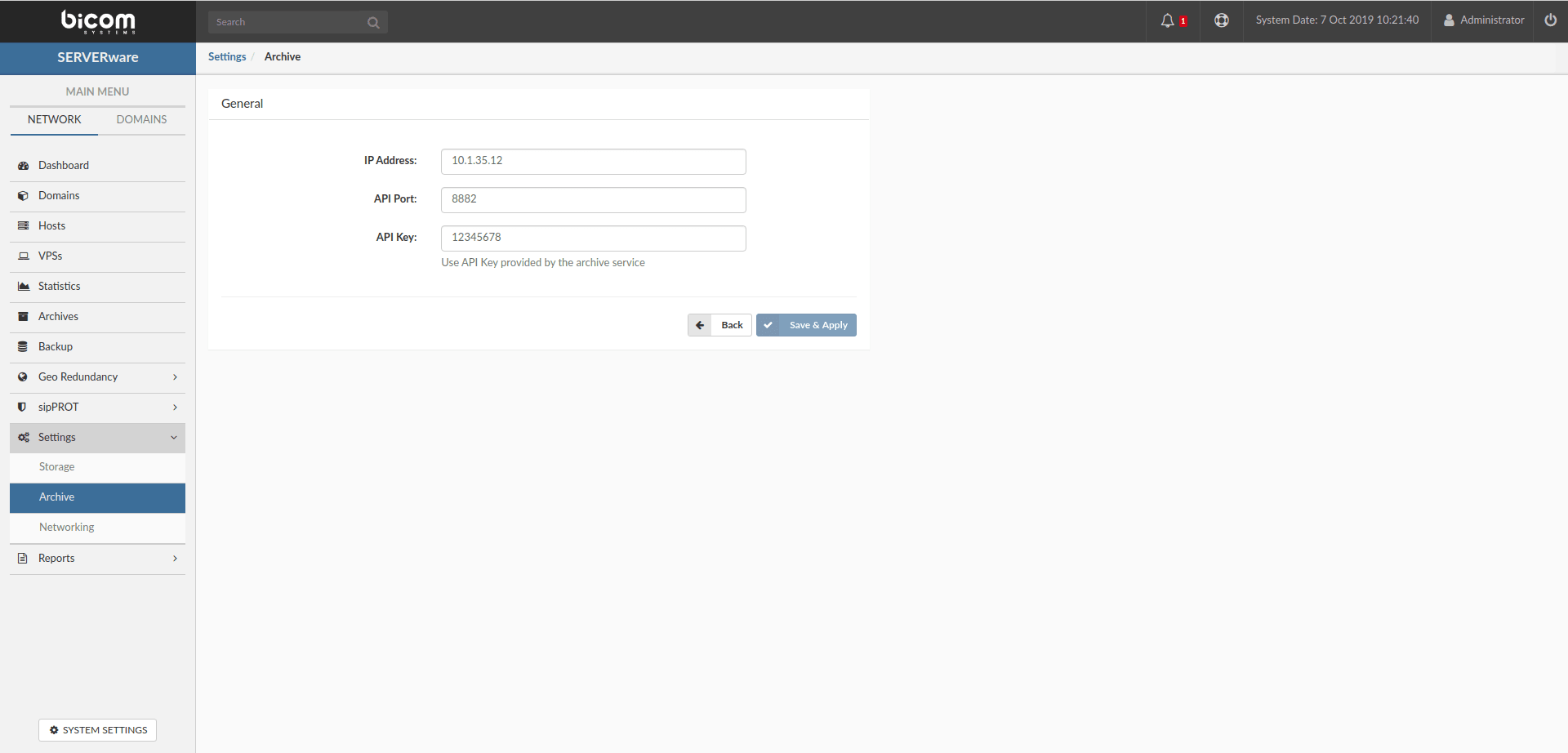
- Go to Settings > Archive in the main menu.
- Fill in the following fields:
- IP address : enter the IP address of the processing host on which the BAS storage is configured (if the BAS archive is on the storage host in mirror/cluster edition, enter the floating LAN address).
- API Port : enter the API port of the BAS configuration file (the default value is 8882).
- API key : enter the API key (corresponding to the password of the user you set when creating the BAS users).
- Fill in all the fields and click Save and apply.
These steps will allow you to successfully configure the BAS archive storage, add users, and integrate it with the SERVERware GUI.

