



FR | EN
Wiki Bicom Systems EnglishWiki Bicom Systems English
  • Home
  • Documentation
    • PBXware
      • Installation
      • Getting started
      • Editions
        • PBXware Multi-Tenant
        • PBXware Business
        • PBXware Contact Center
        • PBXware Service Provider
      • Advanced services
      • Supported phones
      • Autoprovisioning
    • Communicator
      • Communicator Desktop
      • Communicator GO
      • Communicator Web
    • SERVERware
      • Standalone
      • Mirror
      • Cluster
    • sipPROT
    • Tutorials
  • Videos
    • Communicator Desktop
  • Operators
  • Downloads
  • FAQ
Support
leafleaf
Most popular:
  • PBXware
  • Communicator
  • SIP
  1. Home
  2. Communicator GO
  3. Dashboard
Updated on April 24, 2024
Communicator GO
  • Folder icon closedFolder open iconPhone
  • Folder icon closedFolder open iconMake calls
  • Folder icon closedFolder open iconConferences
  • Folder icon closedFolder open iconCallback calls
  • Folder icon closedFolder open iconDirectory
  • Folder icon closedFolder open iconMeetings
  • Folder icon closedFolder open iconChat
  • Folder icon closedFolder open iconFailover support
  • Folder icon closedFolder open iconSMS
  • Folder icon closedFolder open iconVoicemail
  • Folder icon closedFolder open iconPresence
  • Folder icon closedFolder open iconDashboard
  • Folder icon closedFolder open iconiPad support
  • Folder icon closedFolder open iconDark theme
  • Folder icon closedFolder open iconLocations (translations)
  • Folder icon closedFolder open iconSettings
  • Folder icon closedFolder open iconVideo
  • Folder icon closedFolder open iconLogout

Dashboard

Estimated reading: 2 minutes

The Communicator GO dashboard integrates call information and easy control of enhanced services.

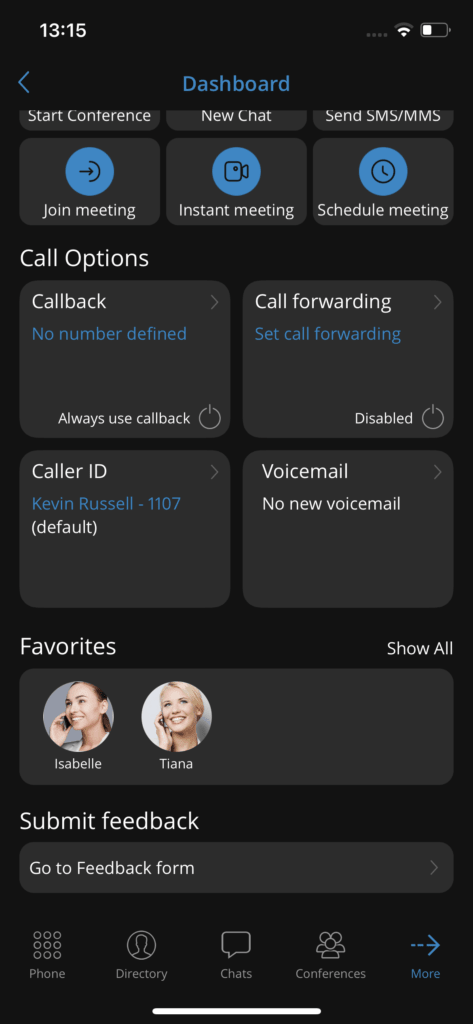
The dashboard contains easy-access modules for profile information, the day's call statistics, recent calls, call options and voicemail, favorites, and quick actions.
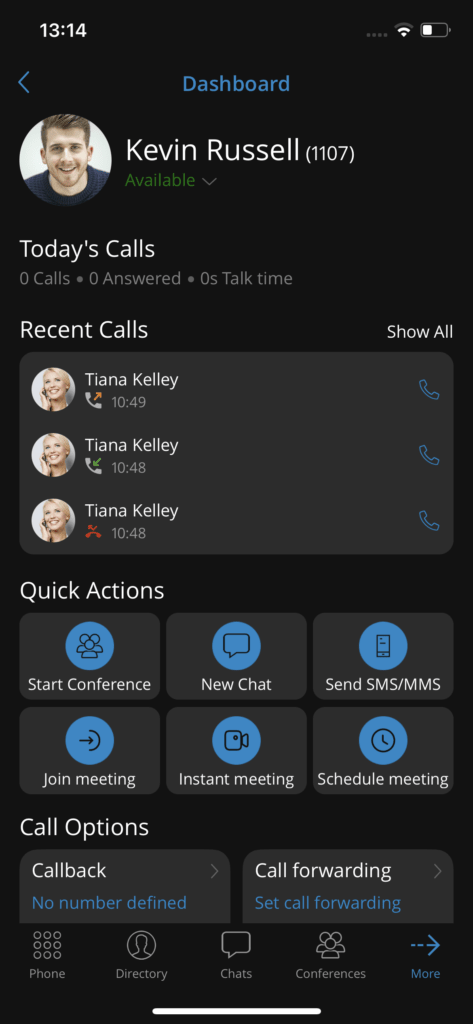
The profile information module displays the username, extension, avatar and personal status. The Today’s Calls module displays statistics about the calls made today.

The Recent Calls module displays the last three calls and allows you to interact with them. The Quick Actions module will allow users to quickly start a conference, create a new chat, send SMS/MMS and join/schedule/create an instant meeting.

The call and voicemail options module allows users to access call forwarding, callback, caller ID settings and open the voicemail screen.
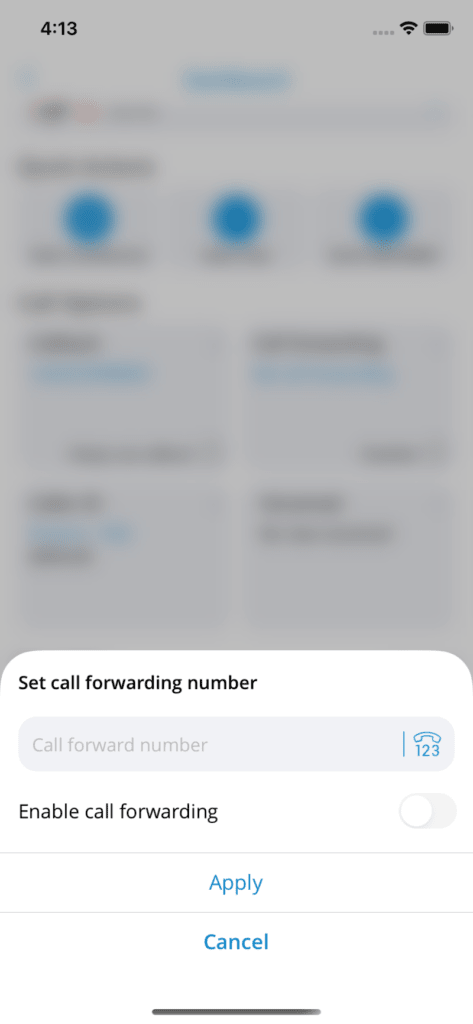
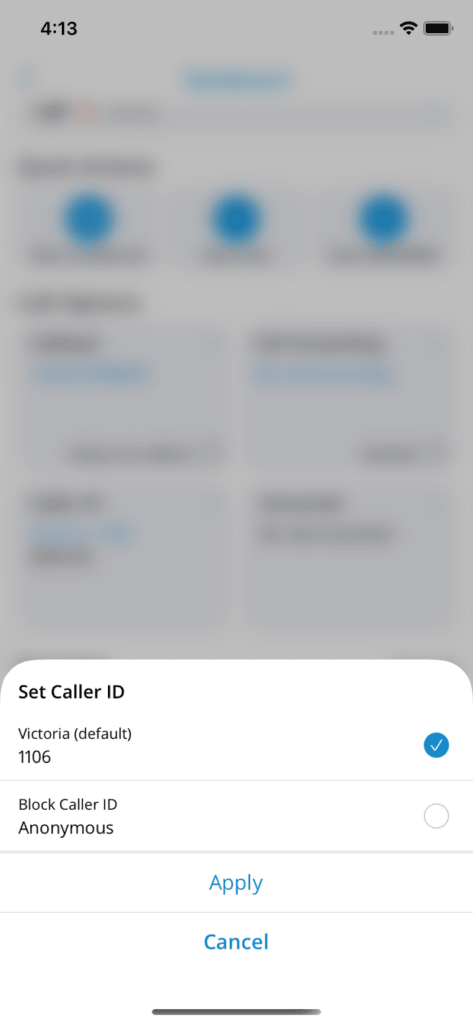
The Favorites module displays ten favorite contacts and allows you to interact with them. At the bottom of the dashboard screen, users can express their opinion about Communicator GO by selecting Feedback.

Share

Dashboard

Or copy the link below

Clipboard Icon
CONTENT
Leaf Illustration

© Bicom Systems France

Last updated: 4 July 2026 Legal noticePrivacyCookiesTerms © 2026 Bicom Systems