



Create an extension group
Estimated reading: 2 minutes
Extension groups are a classic feature used to group a certain number of users into a single destination. Each extension group is assigned a number, which once dialed, rings all the extensions assigned to the group.
Basic settings
To create an extension group, go to the section Extension groups > Extension groups
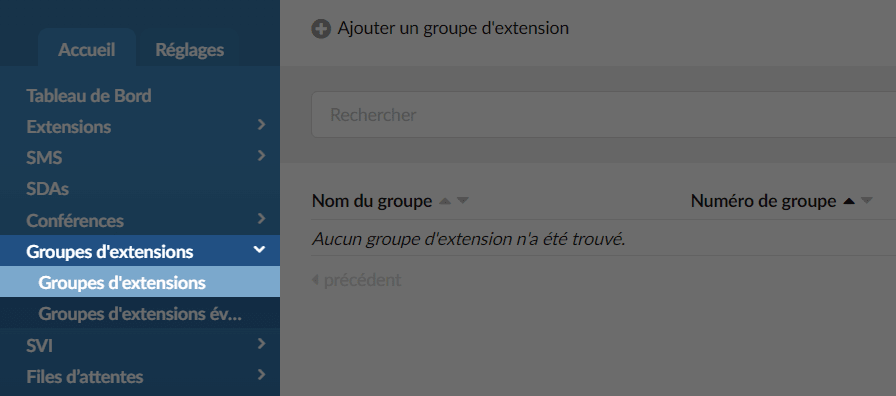
Click the button Add an extension group
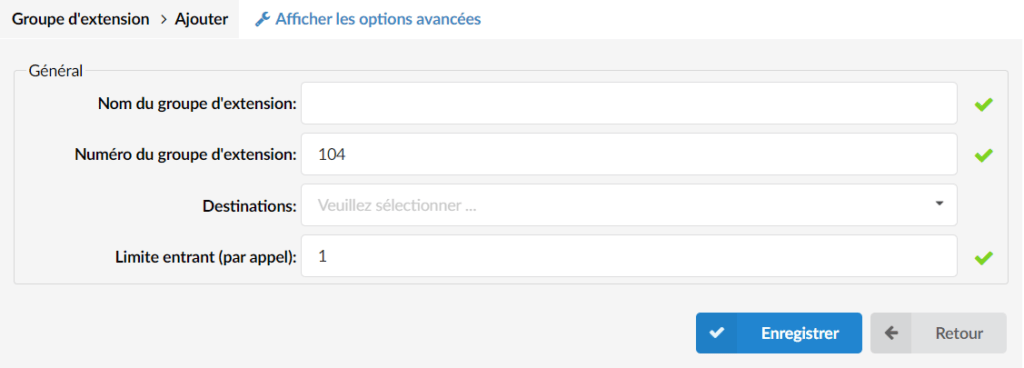
First choose a name for your new extension group, then replace the group number if you do not want to keep the number pre-entered by the system.
In the Destinations field, choose all the phones that you want to ring when you call the extension group.
Here is a configuration example:
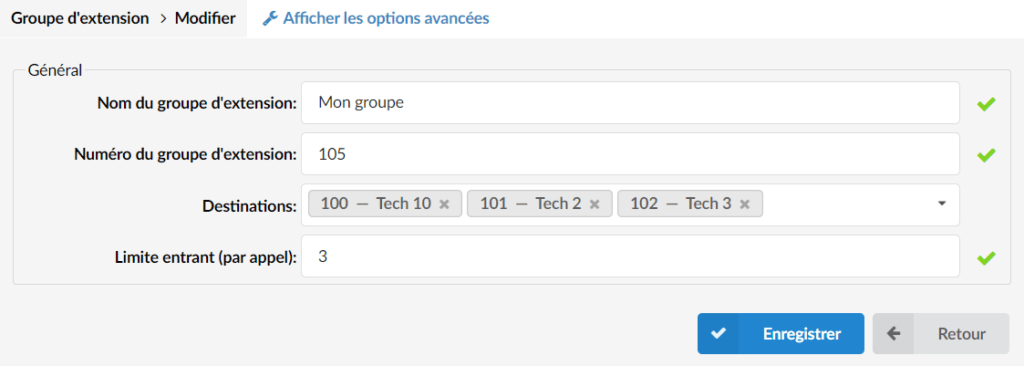
In this configuration, if group 105 is called, extensions 100, 101 & 102 will ring at the same time.
Additional options
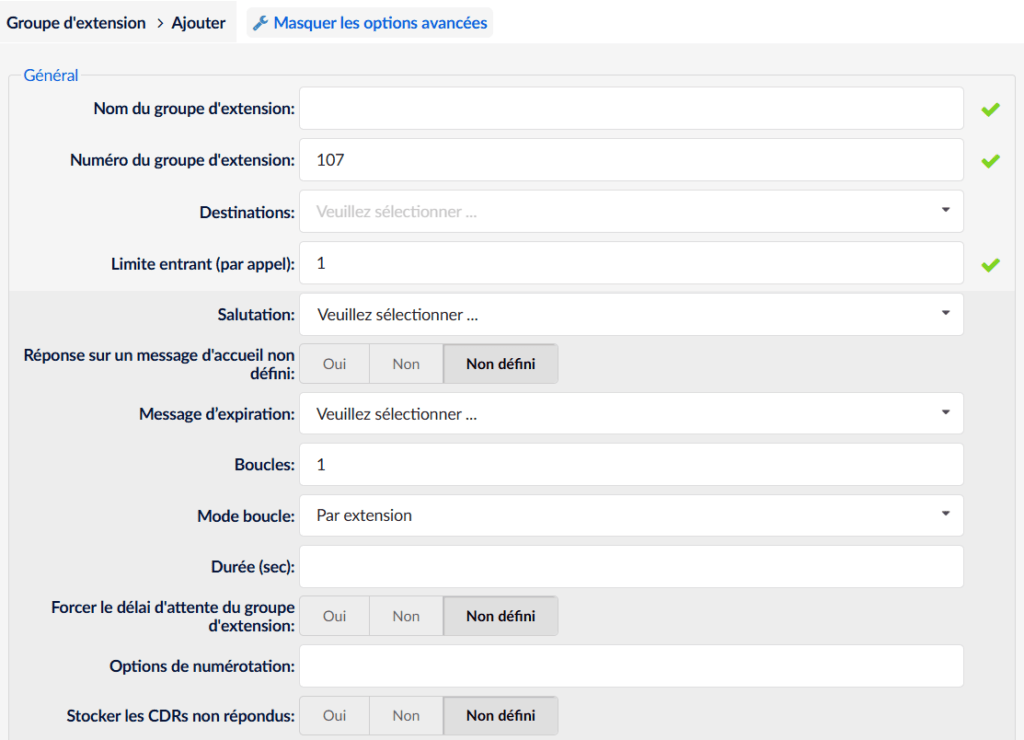
- To set up a greeting, add a sound file in your system starting with the prefix "greeting-..."
- To set the group ring duration, enter the ring duration in seconds in the Duration (sec) field.

- To set a destination in case of no answer, define the desired extension/group/voicemail number in the field Last destination.
- If this is the voicemail of an extension, check the option Last destination is voicemail.
