



DIDs
DIDs are used to direct all incoming calls (which come through trunks) to specific system destinations. Go to Home > DIDs (on a Multi-Tenant system, you must position yourself on the Master-Tenant).
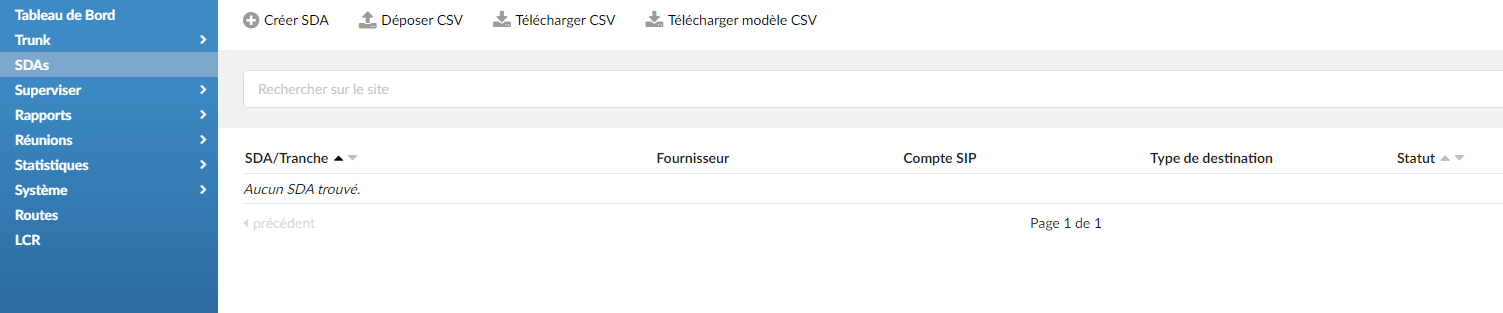
Click on Create a DID.
Add and edit a DID
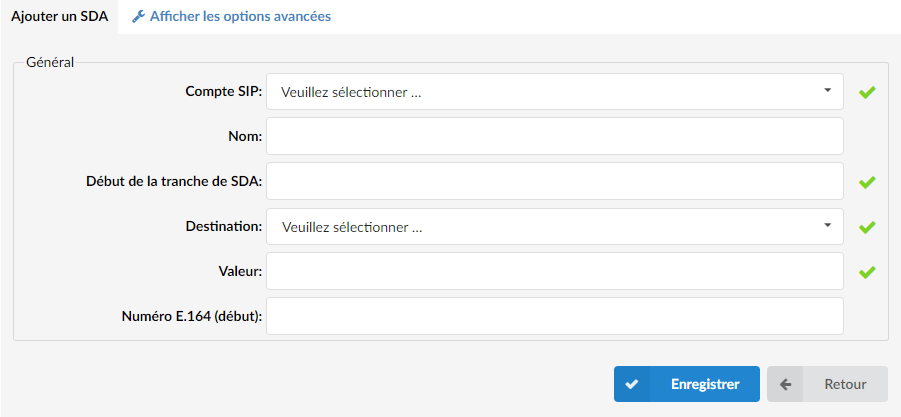
Fill in the following fields:
- SIP account (Trunk): Select the trunk from which the DID will take calls.
- Name: Enter the name of your DID (for reference)
- DID range start: Enter your DID number here
- Destination: PBXware destination to which the DID will route all calls.
- Value: destination to which all DID calls will be routed.
- E.164 number: Enter your DID number in E164 format. For example, if your DID number is 09 80 50 60 70 and you live in France, your E.164 number is 33980506070.
