Install an SSL certificate

An SSL certificate is an electronic certificate that authenticates the identity of a website and enables an encrypted connection. SSL stands for "Secure Sockets Layer", a security protocol that creates an encrypted link between a web server and a web browser.
With PBXware, you can either:
- Use Let's Encrypt to generate a certificate automatically
- Import your own certificate
Prerequisites
The certificate installation process takes place in the PBXware configuration interface (:81).
You must therefore have your root password.
TIP:
Please consult our TUTORIAL: Access the configuration interface (:81)for more information on the configuration wizard.
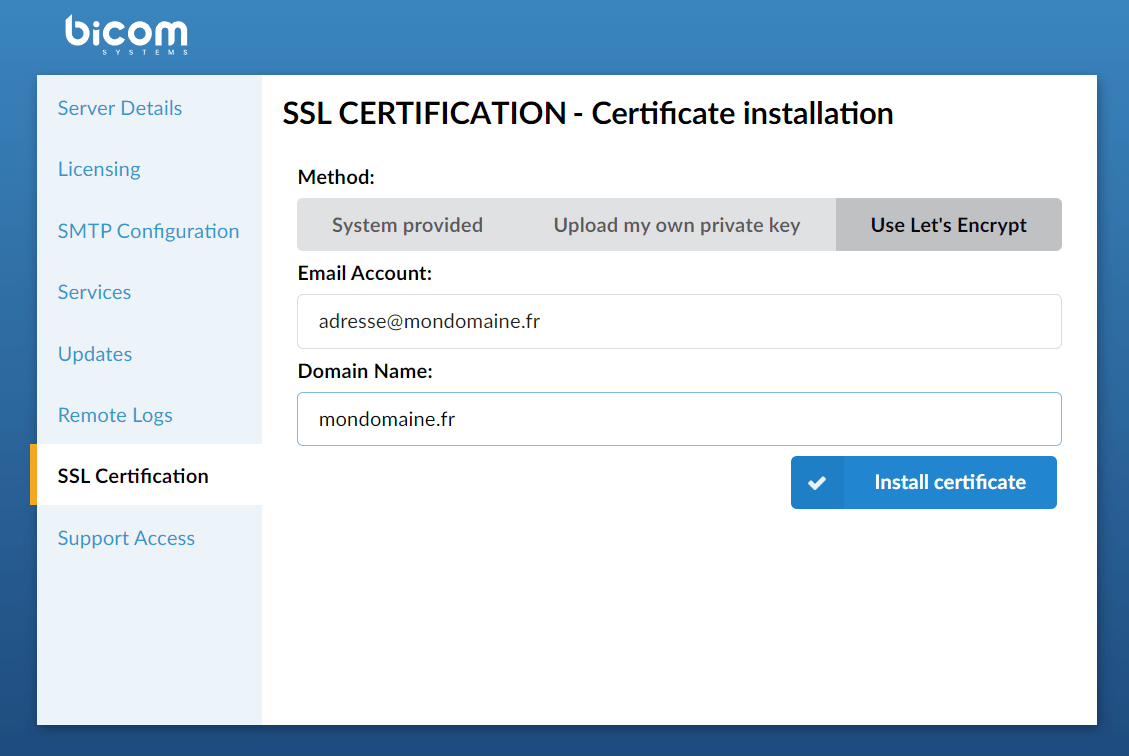
Use a Let's Encrypt certificate
This step is the most frequently used, notably for its ease of execution. Let's Encrypt is a free, automated, and open certificate authority, used to configure an HTTPS server and have it automatically obtain a trusted certificate, without any human intervention (for more information: https://letsencrypt.org/). This means that you will only need to install the certificate once, and it will be automatically renewed when it is about to expire. When the SSL certificate is about to expire, PBXware and the Let's encrypt service will automatically renew the certificate every 90 days without any action needed. You must mandatorilyconnect to the administration interface (:81) with the domain name connected to your PBXware, not to a public IP address, for example.
NOTE:
– The SSL certificate is checked every 30 days by PBXware.
– If the certificate is about to expire, or has already expired, a warning message will appear at the bottom of the page Currently installed certificate information, furthermore, an email informing of the upcoming expiration will be sent to the email address configured by the administrator.
After a few seconds, a message informs you that the SSL certificate has been successfully installed and you then have nothing else to do.