Switch the voices to French
Estimated reading: 1 minute
By default, PBXware installs with English voices (when consulting voicemail, for example…), but it is possible to change the language of these voices.
Prerequisites
● Command line terminal such as PuTTy, KiTTY… (see TUTORIAL: SSH access)
● A sound pack in the correct format.
Setup
1. Log in to your PBXWare server with an SSH access tool:
- The hostname of PBXware (IP address or domain)
- Port 2020
- Your login (root), and your root password.
2. Enter the following command to go to the Asterisk sounds directory:
cd /opt/pbxware/pw/var/lib/asterisk/sounds/ 3. Download the French voice pack to this folder
wget https://www.bicomsystems.fr/sounds/sounds_fr_v3.2.zip 4. Then unzip the archive:
unzip sounds_fr_v3.2.zip NOTE:
On Arch Linux distributions, unzip is not installed by default; install it with the following commands:
pacman -Sy
pacman -S unzip
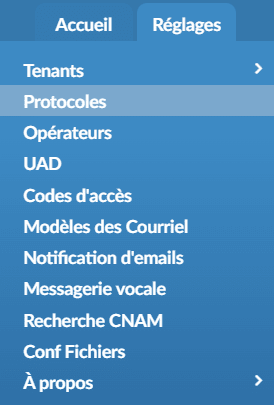
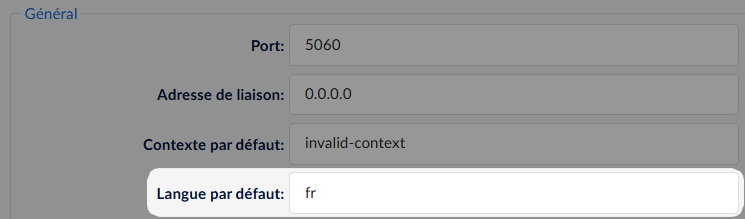
5. You will need to specify the language on PBXware in Settings > Protocols > Default language: fr