



Phones/UADs
User Agent Devices (UADs) play an essential role within the PBXware system.
These devices and applications allow users to access advanced communication services, whether through dedicated IP phones, versatile software applications, or other means.
The UAD allows you to auto-provision a phone by injecting predefined configurations into it, thereby enabling remote management of the terminals (BLFs, passwords, wallpapers, etc.) without going to the phone's web interface.
In the context of PBXware, UADs (User Agent Devices) refer to the devices or applications used by users to access the IP telephony services provided by PBXware. UADs can be diverse and include:
IP phones : These are phones specially designed for VoIP, which connect to the PBXware system via the IP network. These phones are equipped with advanced features such as call management, voicemail, and presence. These IP phones can connect to the switchboard through auto-provisioning.
Softphonesdesktop/web/mobile : Softphones are software applications installed on computers, tablets, or smartphones. They allow users to make and receive VoIP calls from their device, using a headset or a microphone and speakers.
ATA adapters : ATA (Analog Telephone Adapters) adapters allow traditional analog phones to be connected to the PBXware system by converting them into IP phones.
SIP clients : Some third-party SIP clients can also be used as UADs if they are compatible with PBXware.
UADs on PBXware therefore represent the different devices and applications that users can use to access the system's IP telephony services. These UADs allow users to make and receive calls, manage their phone features and benefit from the advantages of VoIP.
Enable a UAD
To enable your first UAD, go to Settings > UAD (place yourself in your tenant if you are on a Multi-Tenant system).
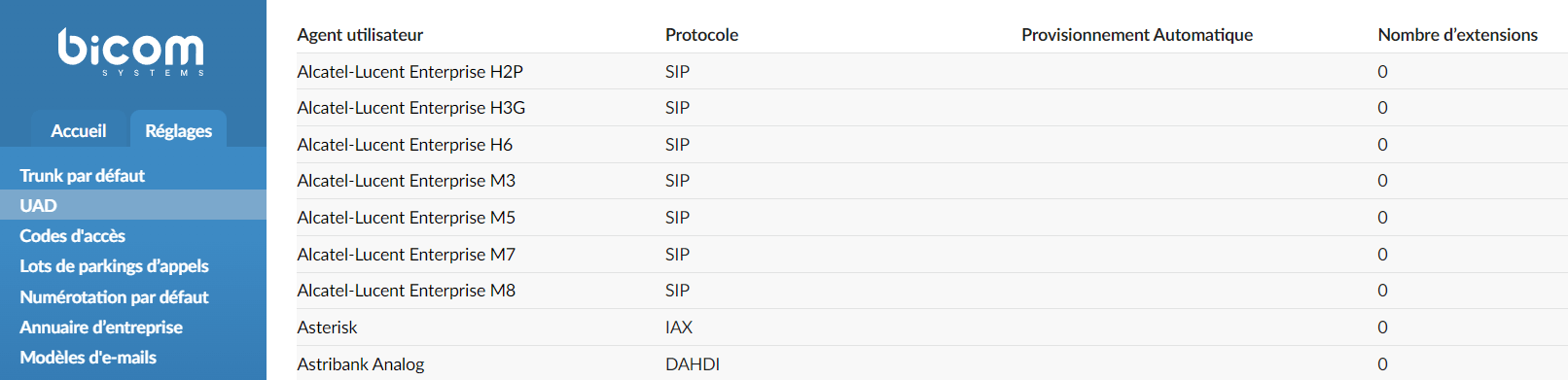
Click the UAD you want to enable then change the field Status of Inactive to Active.
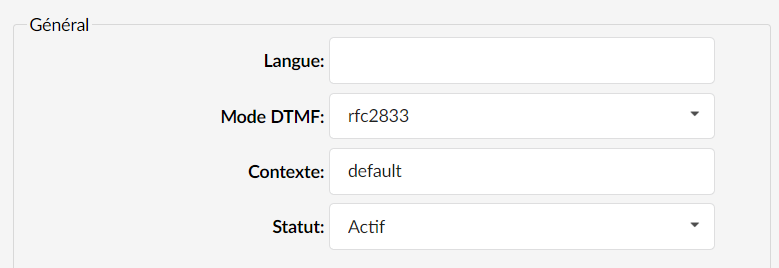
You are now ready to create a new extension.
