



24. Alarms
The menu Alarms is used to configure and manage various SERVERware alarms. Alarms can be configured to send notifications when specific conditions are met.
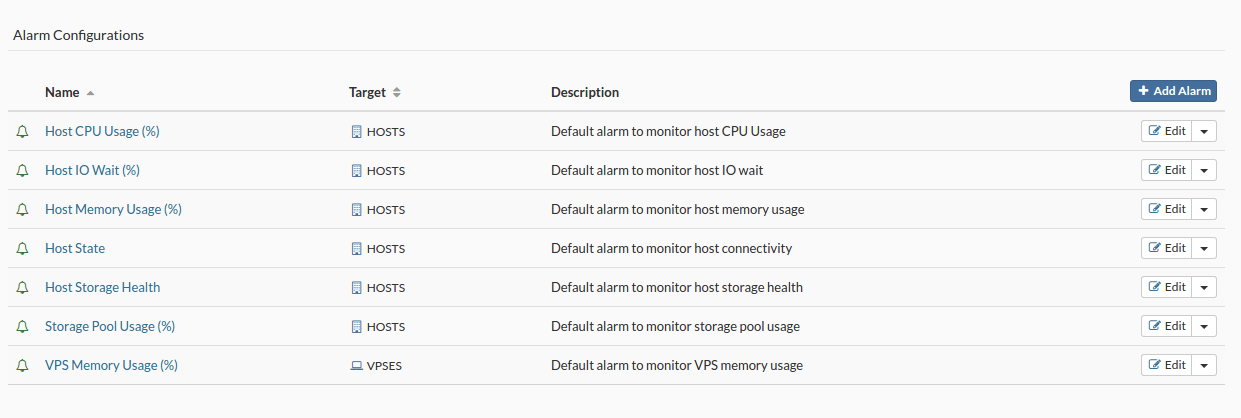
Add an alarm
To add an alarm, follow these steps:
- In the menu Alarms, click on Add an alarm. The new alarm configuration dialog box will appear.
- Select the alarm state, the monitoring target, enter a name and a description, then click Next.
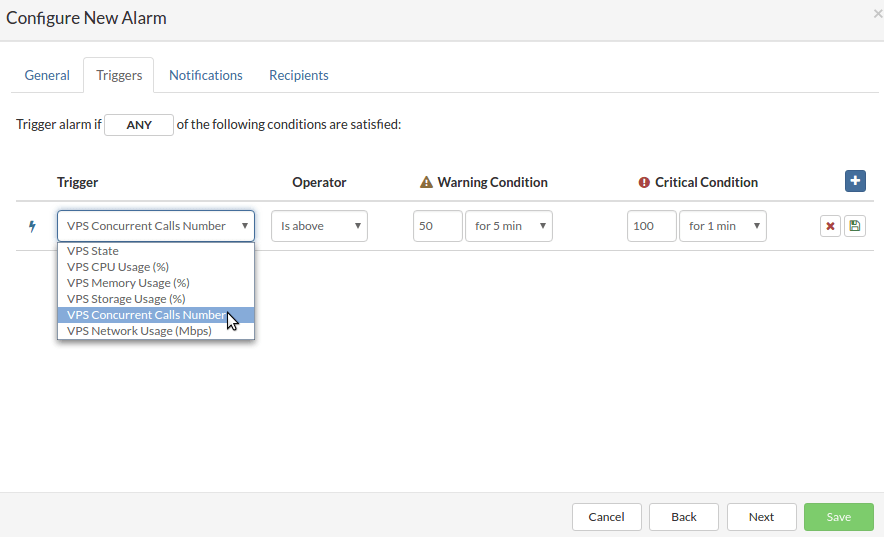
- In the Triggers tab, select the trigger, the operator, define the warning and critical conditions, then click Save Trigger before moving on to the next step.
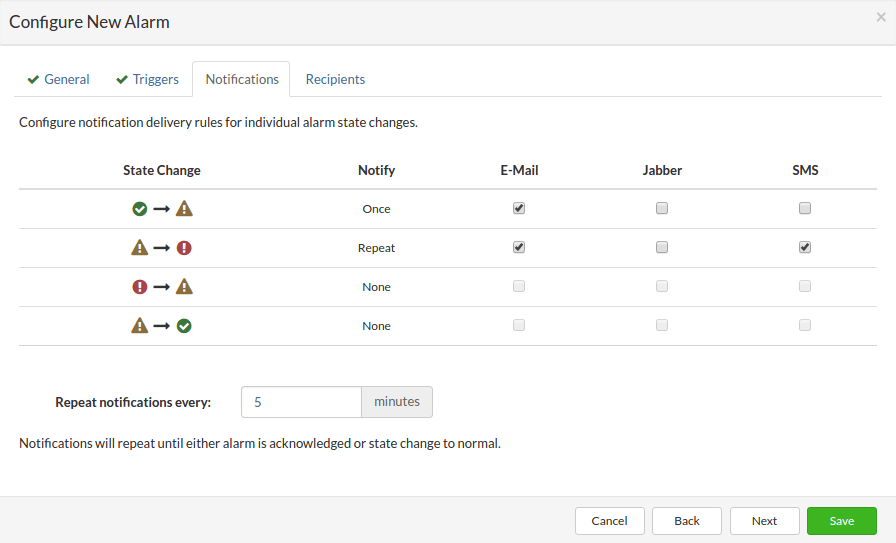
- In the Notifications tab, configure the notifications for alarm status changes by selecting the recipients and checking the delivery modes. Once all the notifications are configured, click Next.
- In the Recipients tab, select the groups that will receive the notifications, then click Save to add the new alarm.
