



11. Backup
Estimated reading: 6 minutes
The menu Backup provides access to backup scheduling and a submenu Browse and Restorer. The menu Scheduling includes a list of scheduled backup tasks, followed by a panel displaying the backup task history for a selected backup task. The menu Browse & restore presents a list of the backup hosts on which the backups are placed, then you can select a backup host and a backup set, followed by a pane displaying the VPS restore points.
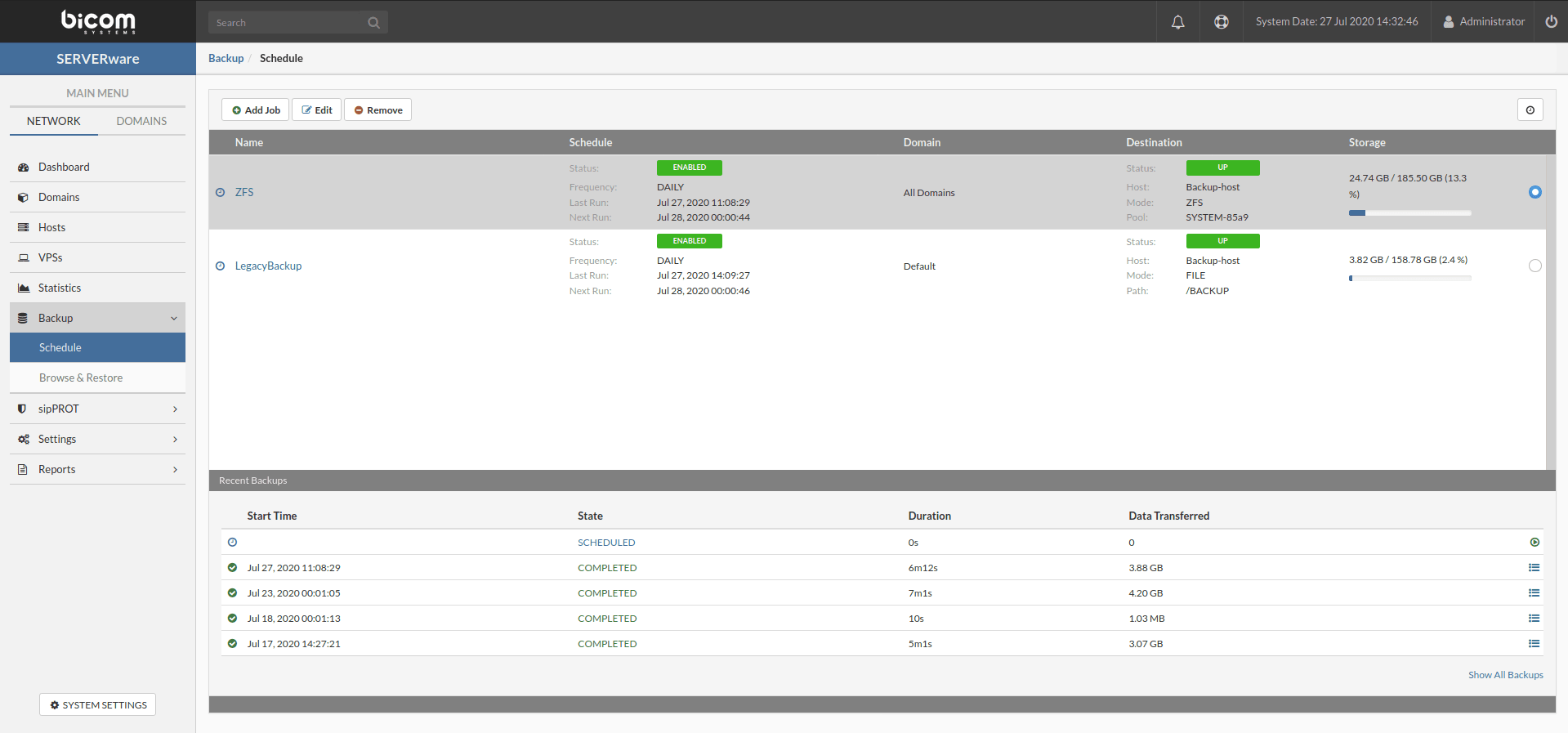
The following properties of a backup job are displayed in the menu Backup as well as in the add & edit dialog boxes.
| Field | Description |
|---|---|
| Name | Backup task name. Provide a descriptive name. |
| Mode | The available choices for the backup mode are "Backup to ZFS" and "Backup to file (legacy)". |
| Partition | Name of the partition from which you want to back up the VPS. It can be an individual partition or all the partitions on the network. |
| Destination | Name of the partition from which you want to back up the VPS. It can be an individual partition or all the partitions on the network. |
| Pool | The name of the dedicated backup pool. |

