21. Access control
Login lockout
Set the limit for allowed unsuccessful login attempts. The user's IP address will be blocked after a specified number of unsuccessful attempts within the specified retry period in minutes.
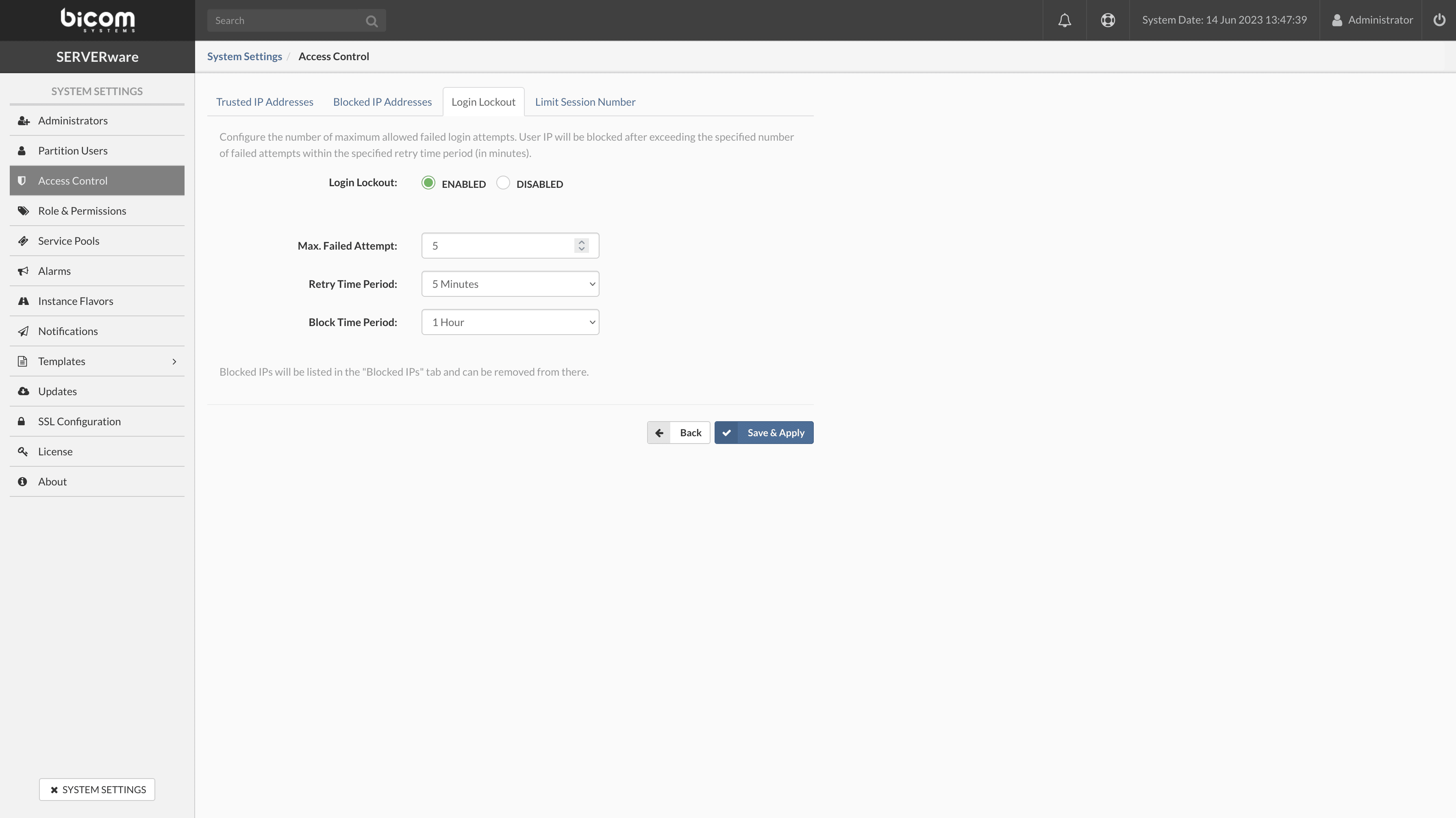
- Enable/Disable the login lockout
- Max. Failed attempts : maximum number of failed attempts within a given period before SERVERware blocks the user account.
- Retry period : the period during which the previous failed attempt occurred is blocked. The available choices are 1 minute, 5 minutes, 10 minutes, 30 minutes, and 60 minutes.
- Blocking period : period during which the restricted user will be denied access.
If all the above rules are respected, the user account will be blocked after n failed attempts within n minutes and will be added to the list of blocked IP addresses.
Blocked IP addresses
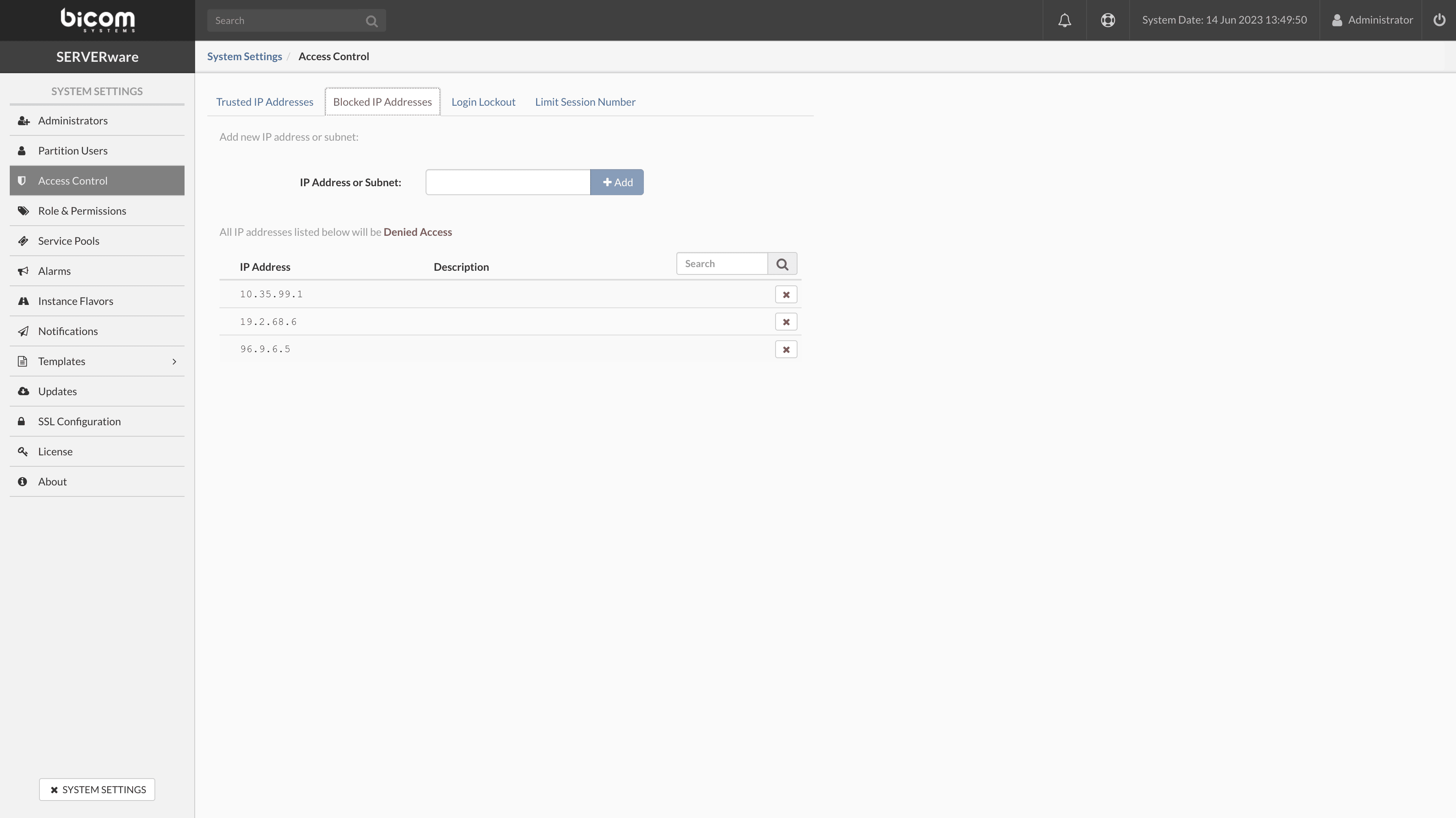
- IP address or subnet : to block access to a specific IP address, enter the address you want to block in the input field and press the button + Add.
- To remove a specific address from the list of blocked addresses, press the X next to the blocked IP address in the list.
Trusted IP addresses
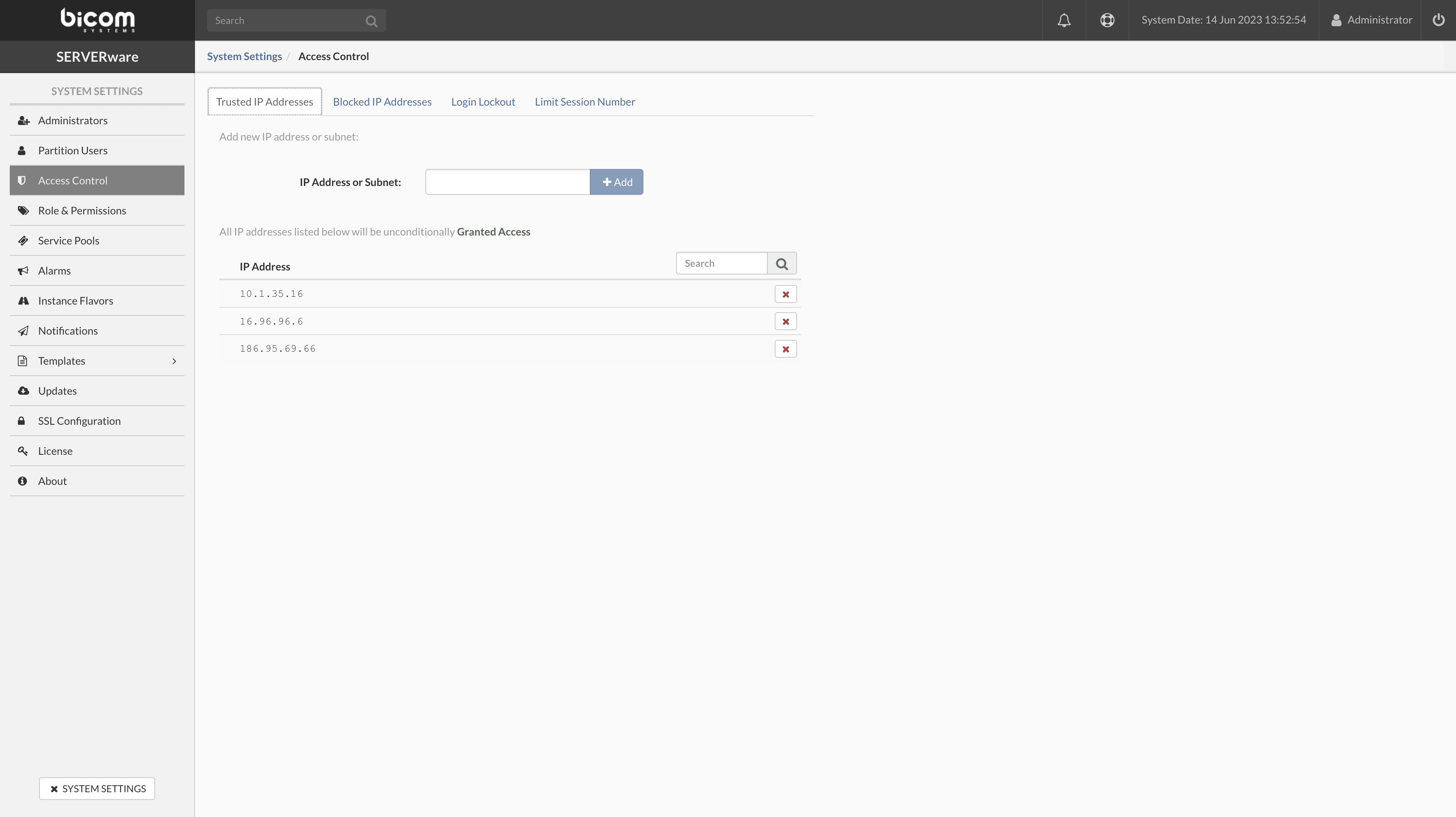
- IP address or subnet To grant access to a specific IP address, in the input field, enter the address to which you need to grant access and press the button + Add button.
- To remove the specific address from the list of granted addresses, press the X check the button next to the granted IP address in the list.
Limit the number of sessions
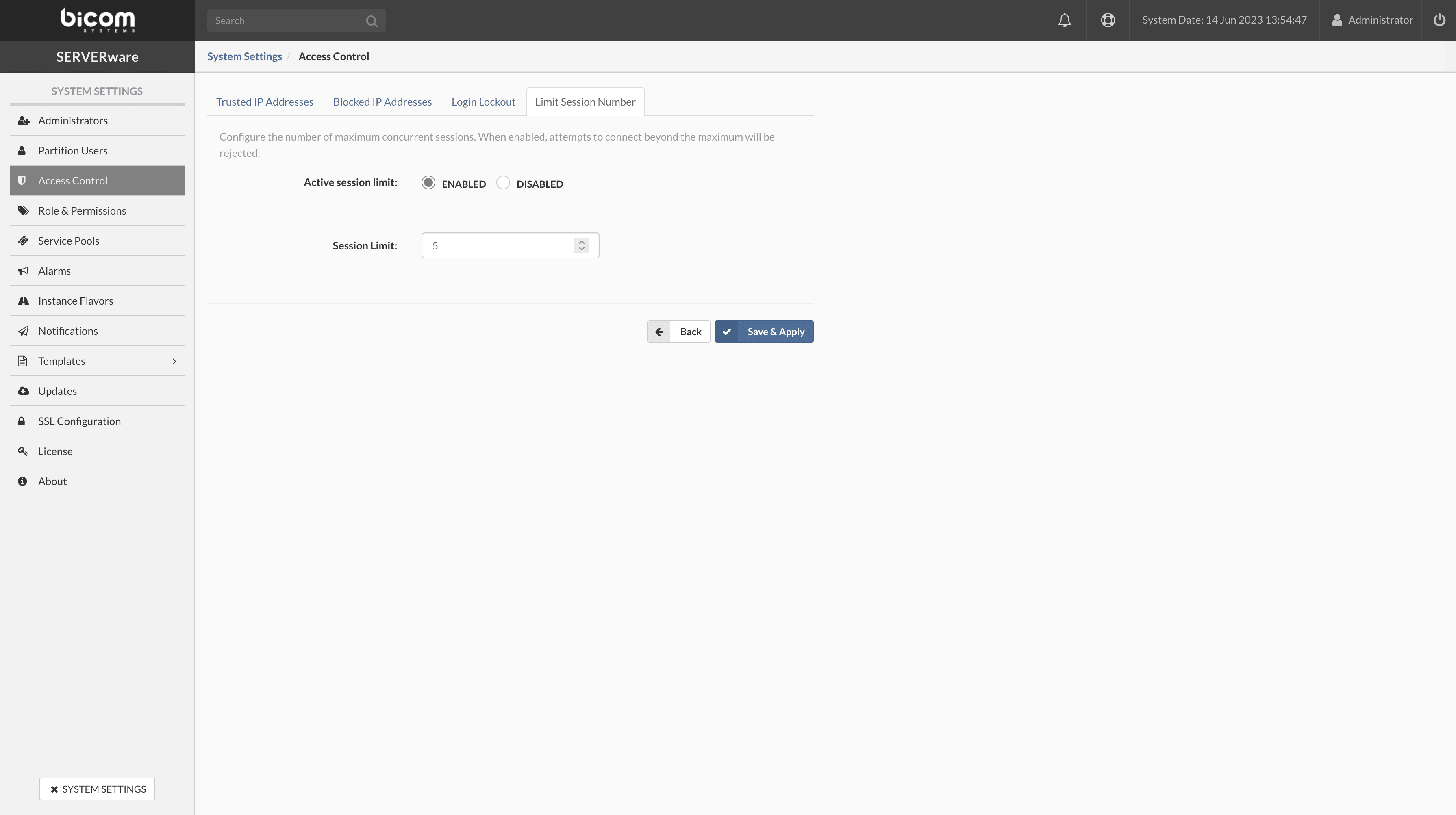
Set the maximum number of concurrent sessions. When this feature is enabled, login attempts beyond the maximum limit will be rejected. For example, if the session limit is set to 3, only 3 users can be logged in simultaneously. Any additional login attempt will be rejected.