



20. Partition users
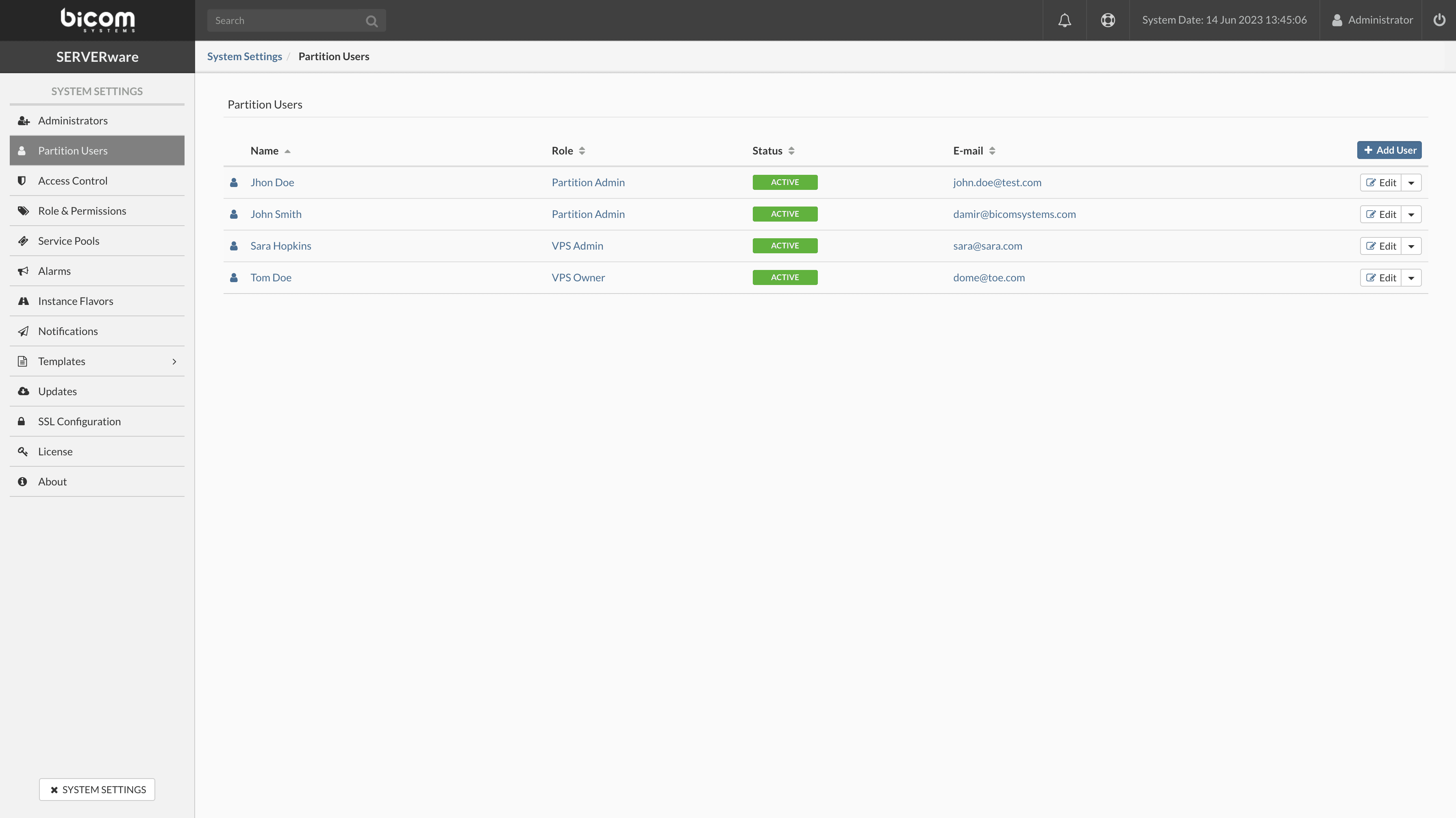
The Partition Users menu allows the creation, modification, and deletion of SERVERware GUI users, as well as the assignment of various roles and permissions.
Adding a user account
Follow this procedure to add a user account:
In the Users menu of a partition, click Add a user.
A dialog box appears. Select the User Role, the Status, and enter the user's personal information.
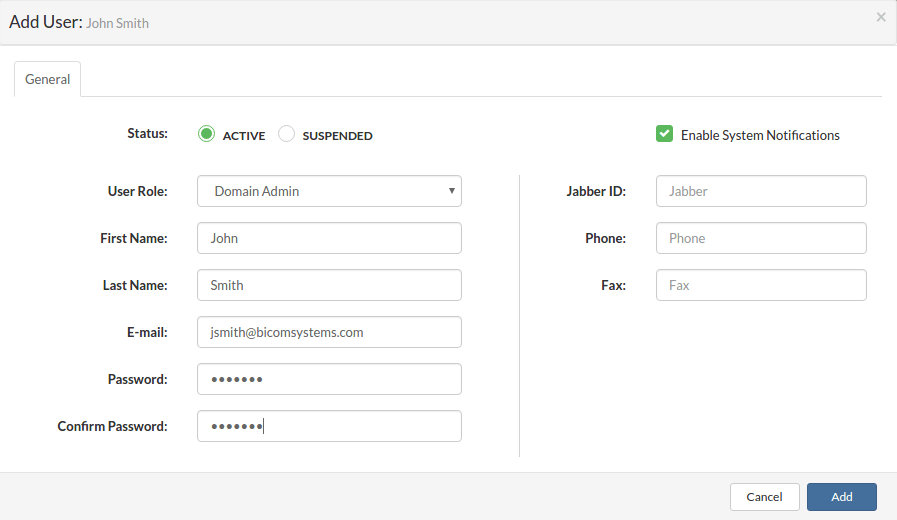
Click Add to add a user.
Deleting the user account
Follow this procedure to delete a user account:
In the menu Partition users, select Delete a user in the drop-down menu next to the user you want to delete. A confirmation dialog box appears.
Click on Yes. The user disappears from the list.
Promotion of the user account to an administrator account
Follow this procedure to promote a user account to an administrator account:
In the menu Partition users, select Upgrade in the drop-down menu next to the user you want to promote. A confirmation dialog box appears.
Click on Yes. The user disappears from the user list of a partition and appears in the administrator list.
