



22. Role and permissions
Use the view Roles and Permissions to add, modify, or delete roles and permissions that can be assigned to users of the SERVERware graphical interface.
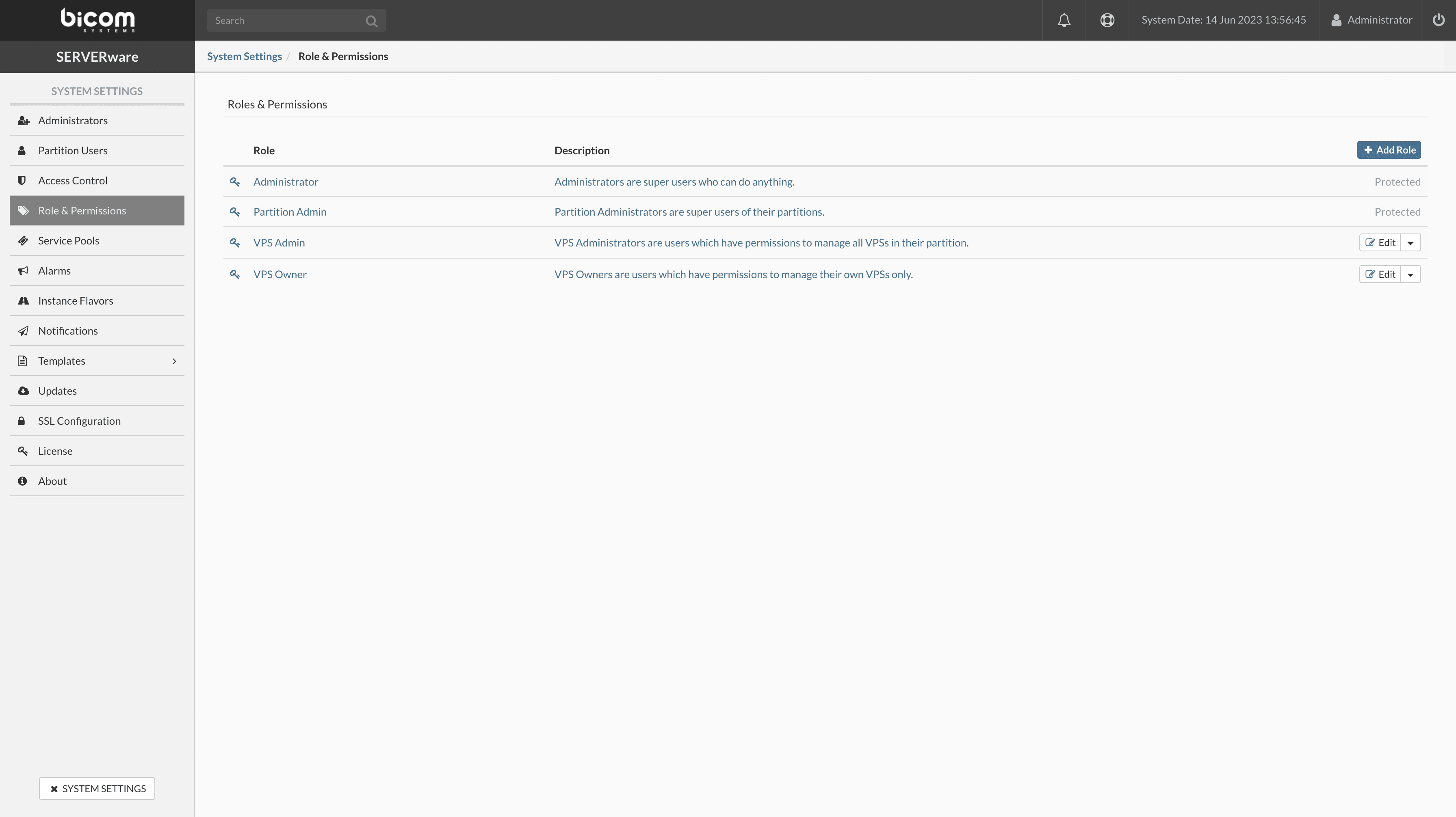
Adding a role
To add a role, follow these steps:
- In the Roles and Permissions, click on Add a Role.
- The dialog box Add a Role will appear. Enter the name, description and configure the permissions.
- Click on Add to create a new role.
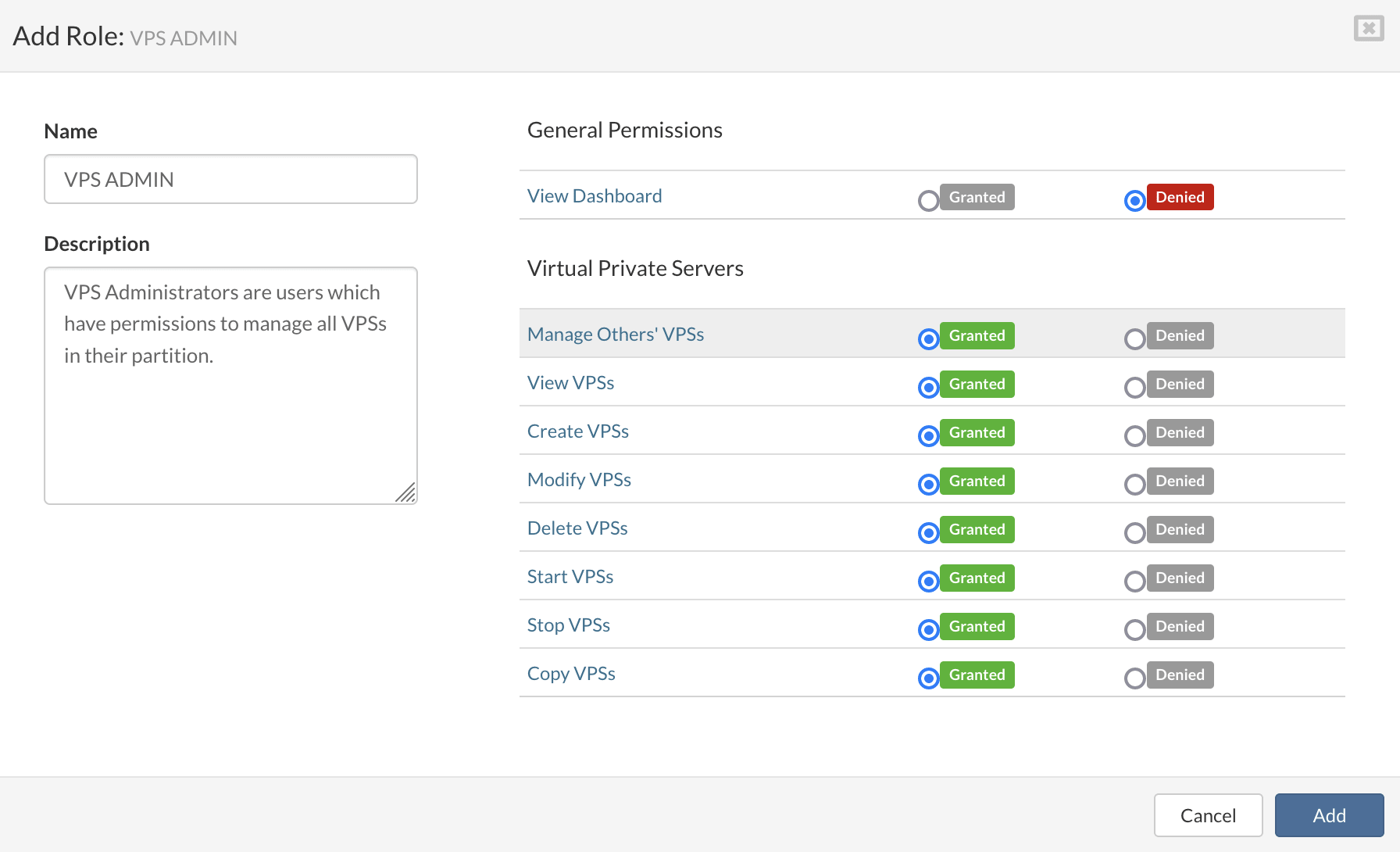
Click on Add to add a role.
Delete a role
To delete a role, proceed as follows:
- Select the viewRoles and Permissions.
- In the drop-down menu next to the role you want to delete, select Delete the Role. A confirmation dialog will be displayed.
- Click on Yes. The role will be removed from the list.
